
The Steam Deck is quite the success story, at least for Valve, and having used one (and bought one for my sister last Christmas), I can totally see why. It genuinely is a great bit of kit; granted, the price hike is a shame, but that’s just how the industry is right now. Despite its success, I have always preferred Xbox, and despite my issues with the Xbox Ally, I still prefer it over the Steam Deck.
One thing the Steam Deck definitely does better, though, is the user experience. Jez Corden recently spoke about how the Xbox Ally and Ally X were in his re-review, and pointed out how Windows 11 still needed work for handhelds.
I personally opt for other launchers over the Xbox App, like Winhanced, but what I have always truly wanted was the Xbox Series dashboard, or heck, even the old Metro dashboard, just on a handheld. Well, we got one of those things on the Steam Deck thanks to an all-new plugin by kromossomom.
The plugin, which can be found on GitHub, turns your Steam Deck into a complete Xbox Series-style dashboard, and it is really impressive and pretty feature-rich. Quick disclaimer, though: Claude AI was used to help with development, but pretty much everything is now, so let’s move on to the features.
The Xbox Series dashboard looks right at home on Steam Deck
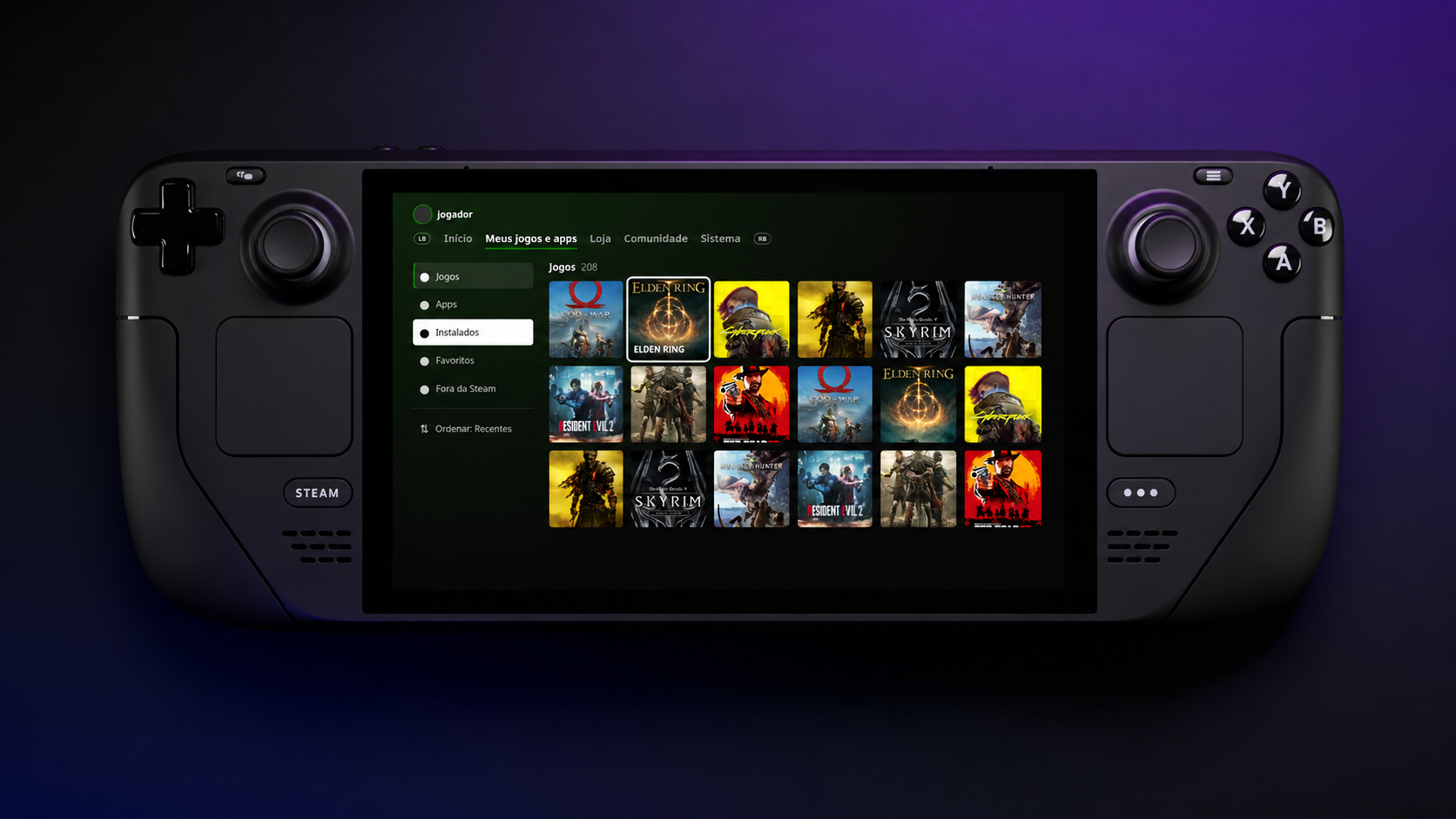
Decky Xbox Dashboard replaces Steam’s Home interface with the Xbox Series dashboard. You can use LB/RB to move between tabs, which include My games & apps, Store, Community, and System. You can also visit a game’s page when hovering over it and pressing Y to view the game’s compatibility, achievements, and more.
To install Decky Xbox Dashboard, you can follow these steps:
- Follow our guide on getting Decky Loader installed on your Steam Deck.
- Once installed, download the zip file from the Decky Xbox Dashboard GitHub repository.
- On your Steam Deck, open Quick Access -> go to Decky -> then go to Settings and select General. Make sure Developer Mode is turned on.
- Within Developer settings, select Install plugin from ZIP, and pick your downloaded Decky Xbox Dashboard ZIP file.
I wish I could just install this on my Xbox Ally X. As much as I like Winhanced, which I currently use, I want the simplicity of a console in the palm of my hands. That is something the Xbox App and third-party launchers have never truly offered in my experience.
Let me know your thoughts. Is this cool? Would you install it? Do you wish it was available on a Windows handheld, or is it more of a novelty?
Make sure to leave a comment down below, and be sure to take part in our poll too!

Join us on Reddit at r/WindowsCentral to share your insights and discuss our latest news, reviews, and more.