I’ve spent more than a decade testing gaming PCs, and even the best pre-builts usually have cables you simply can’t hide. That made my first look inside Maingear’s new Zero genuinely surprising, even after my previous Maingear MG-1 review.
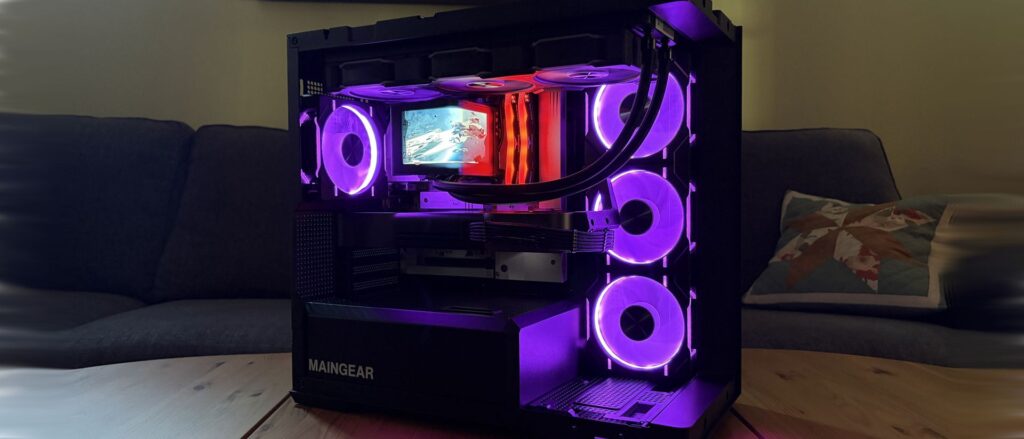
There’s almost nothing there. Power connections have been moved behind the motherboard, the panoramic glass is uninterrupted, and the components that normally compete with bundles of cabling finally get the spotlight. It’s one of the cleanest pre-built PCs I’ve tested.
Clean doesn’t necessarily mean better, though. After a few weeks of gaming, benchmarking, stress testing, and poking around inside, I wanted to know whether Maingear’s cable-free approach actually improves the PC or simply makes for prettier photos.
Maingear sent Windows Central a review unit on loan for testing. It had no input, nor saw the contents of this review, prior to publication.
How much does the Maingear Zero cost?
My review unit is an extreme $8,676 configuration built around AMD’s Ryzen 7 9850X3D and NVIDIA’s RTX 5090 Founders Edition. Don’t let that price scare you away from the Zero entirely, though. Here’s what Maingear packed into my high-end loaner:
- AMD Ryzen 7 9850X3D CPU
- NVIDIA RTX 5090 Founder’s Edition (FE) GPU
- 32GB DDR5-6000MHz RAM
- 2TB M.2 PCIe 4.0 NVMe SSD
- TRYX Panorama SE AiO
- MSI Pro B850M-A WIFI PZ motherboard
- 1,250W MSI MAG A1250GL PSU
- Zero MK.II case
But you don’t need to spend anywhere near $8,676 to get the Zero’s signature design. Models start at $2,799, with the baseline configuration landing you the same Zero MK.II case, an Intel Core Ultra 5 250K Plus CPU, NVIDIA RTX 5070 FE GPU, 32GB DDR5-6000 RAM, 2TB SSD, and a 360mm AiO.
That starting price is more competitive than I expected. A comparable DIY build came to roughly $2,850 when I priced it out, putting it remarkably close to Maingear’s $2,799 starting price. Component prices fluctuate, of course, but Maingear isn’t asking for an enormous boutique-PC premium just to get the Zero’s distinctive design and professional assembly.
Why is this Maingear PC called Zero?
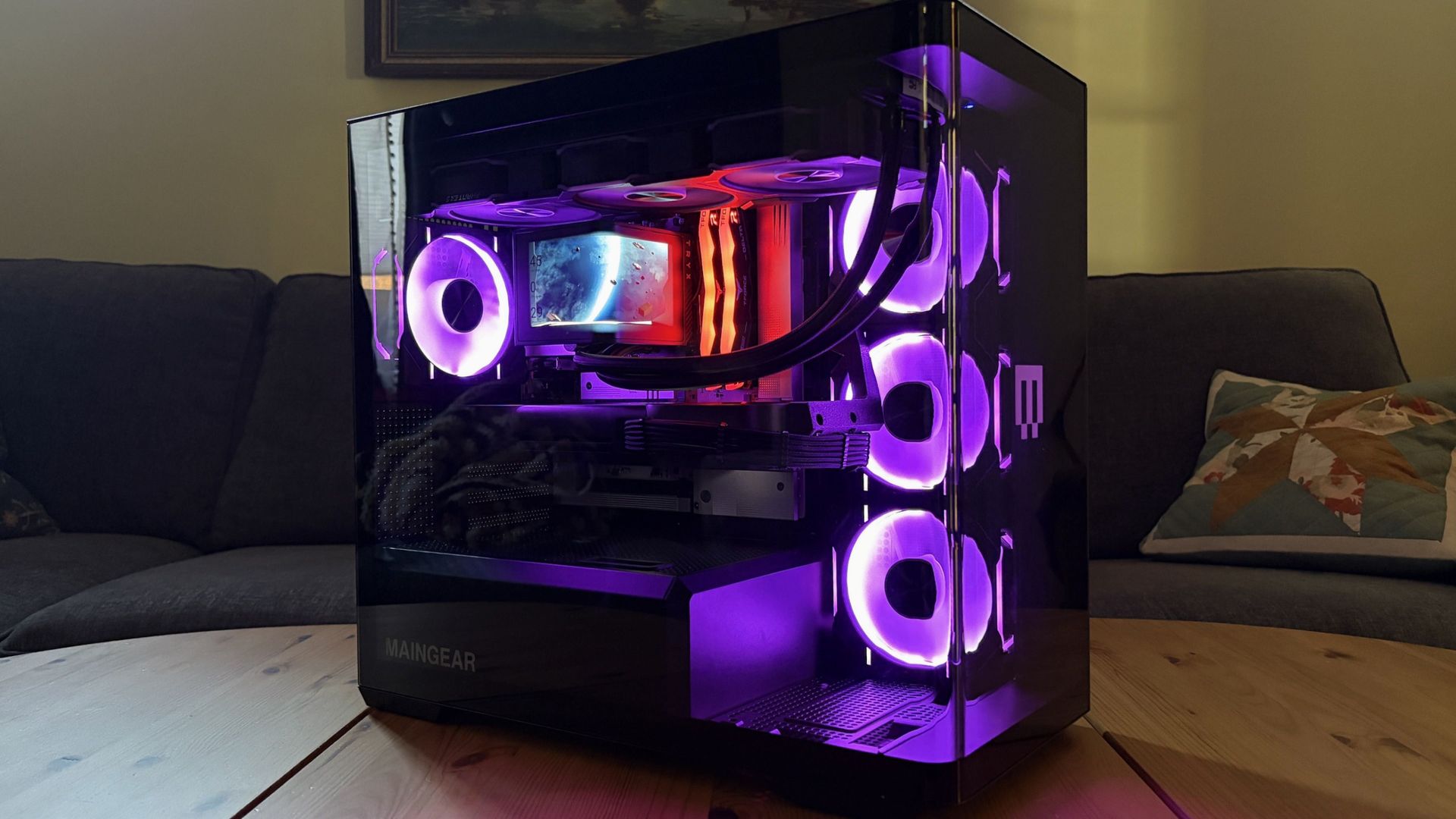
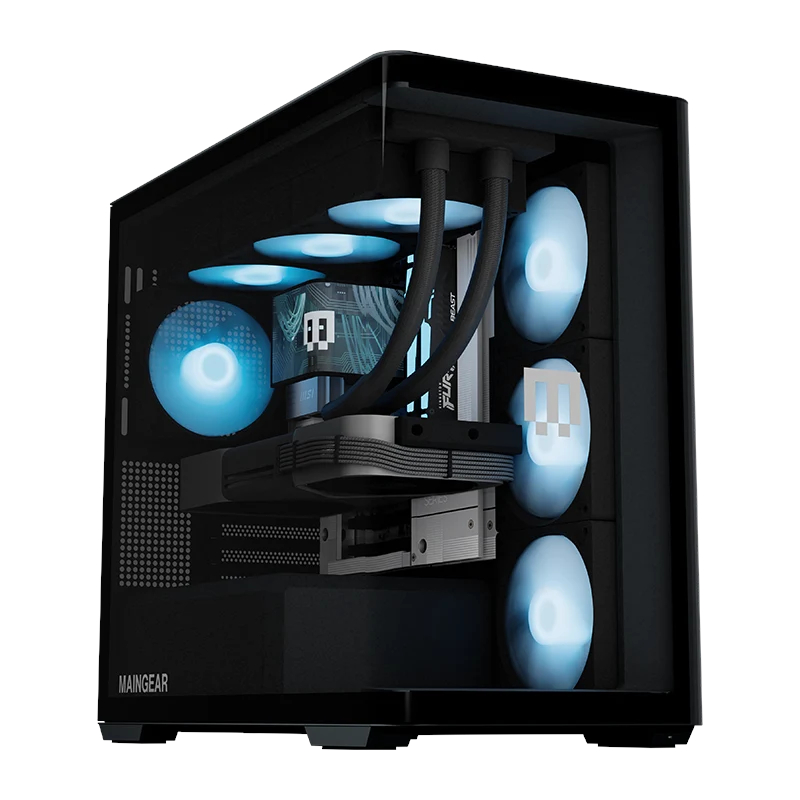
Maingear’s Zero steps away from the MG-1 with a more compact case. Rather than the MG-1’s interchangeable front faceplate, panoramic glass extends from back to opposite front.
It’s an immaculate look emphasized by customizable internal RGB lighting. I hate the look of exposed case LEDs, and this has none.
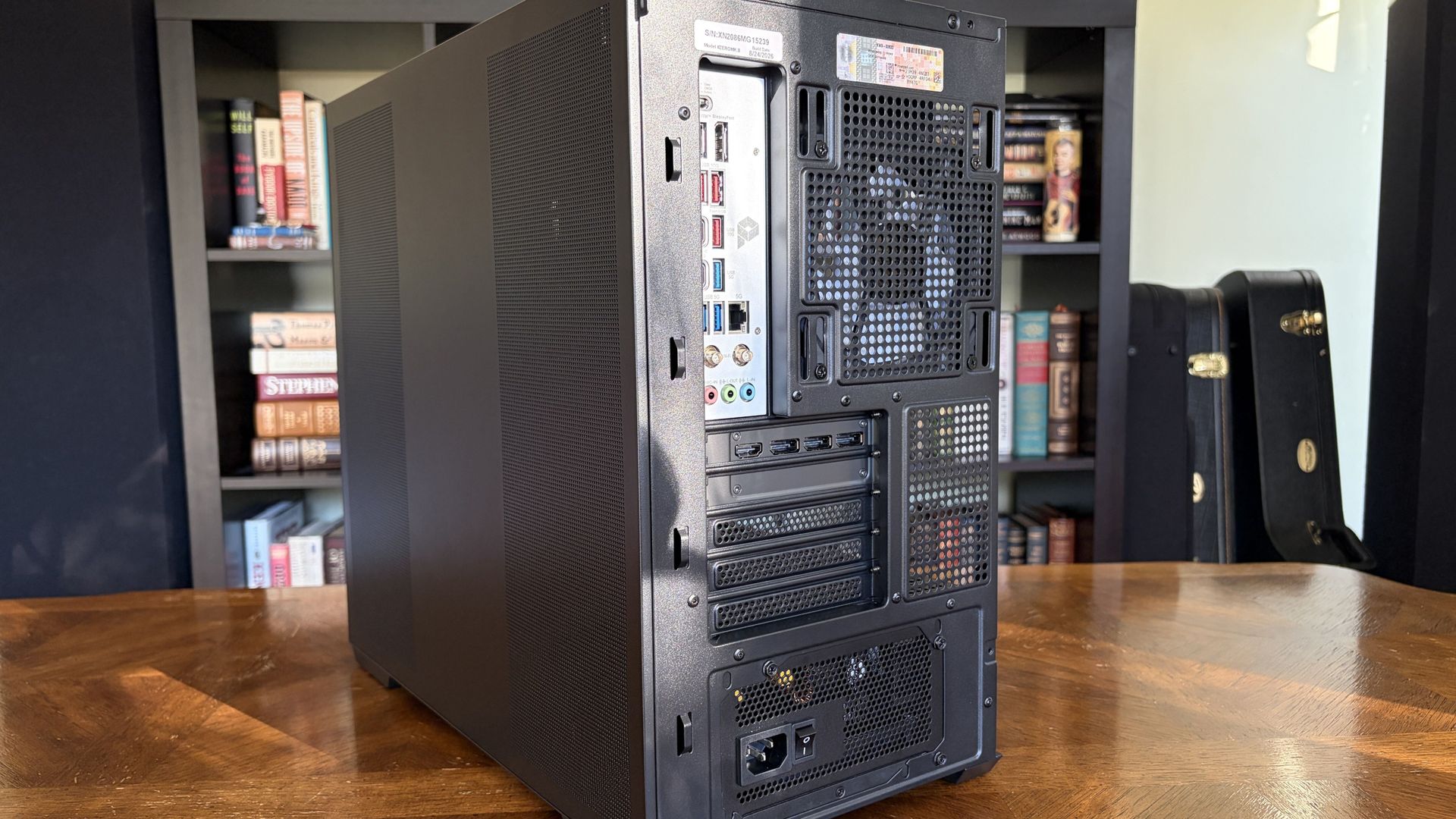
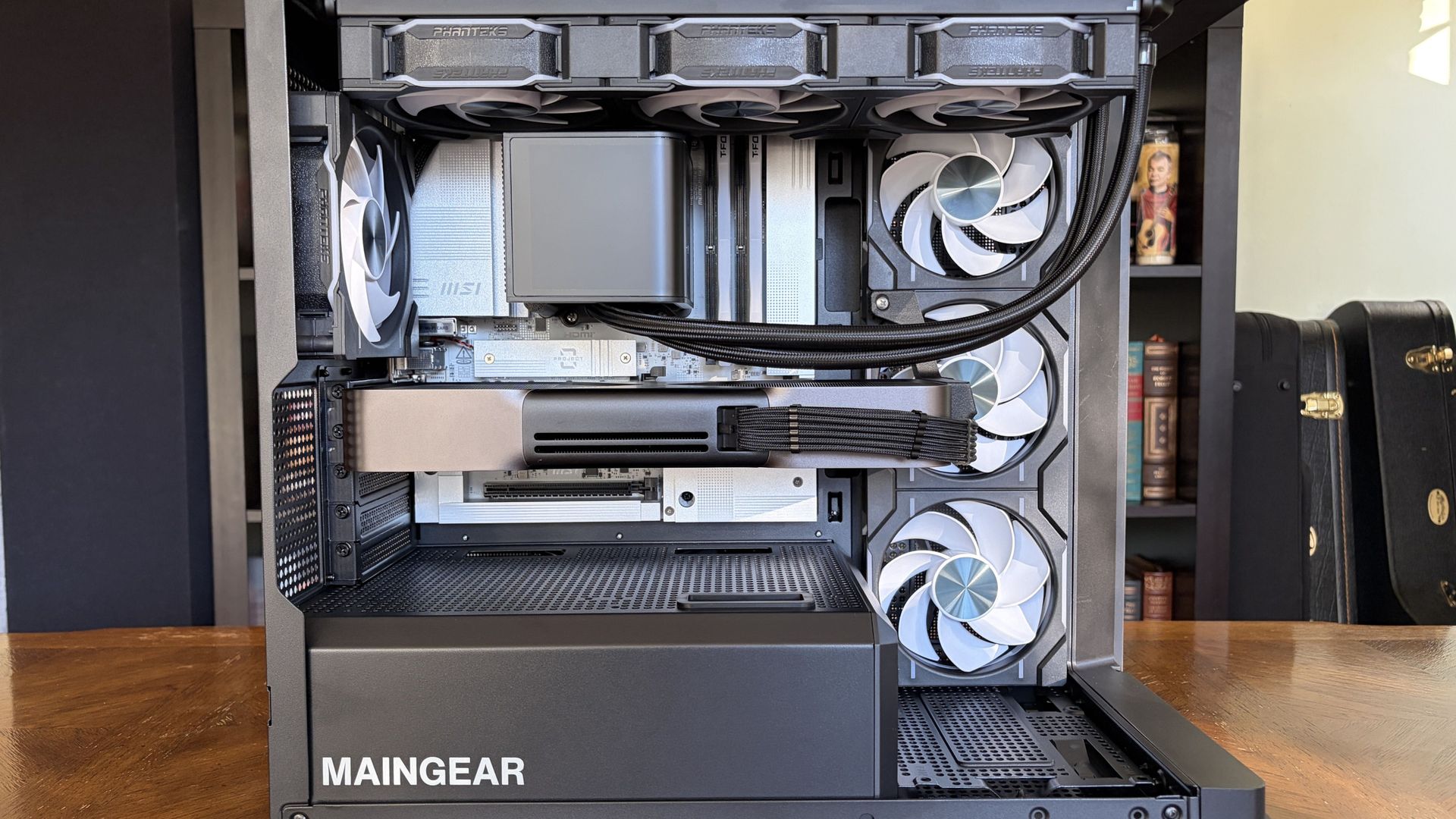
The case’s foundational layout isn’t too different from the average PC. Five slots on the back for expansion, dedicated spot for the PSU, side intake with three fans, AiO CPU cooler installed on top, and exhaust on the back.
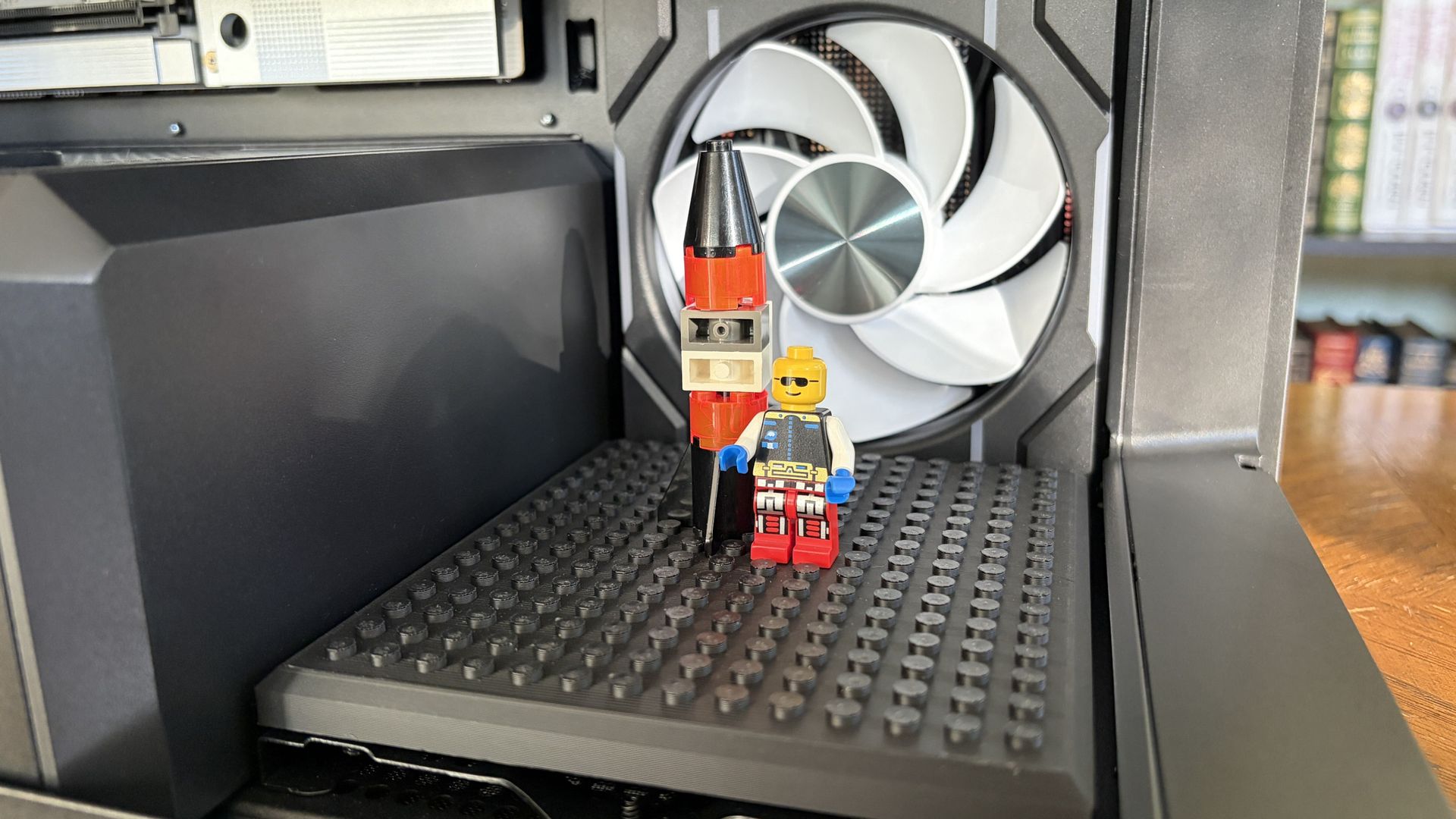
Maingear makes good use of extra internal space towards the front. Leaving this open will interfere less with airflow, but it’s designed to hold either a figurine stand or a “studded brick stand” for your custom LEGO creations.
I already use LEGO in my own PC to hold up my GPU, and I love this little Maingear addition.
For anyone who appreciates a minimalist approach, this is the ultimate design.
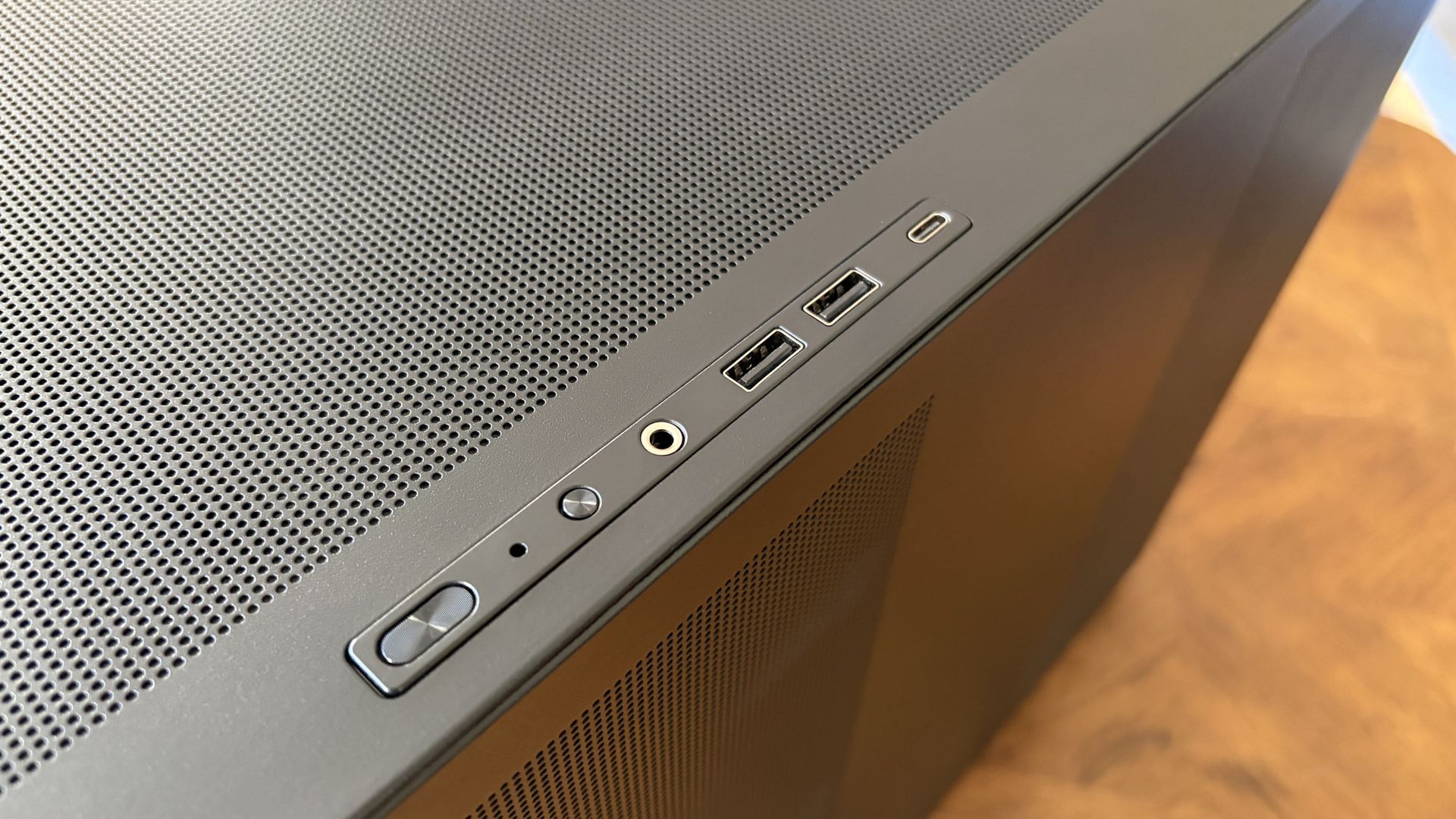
At the front of the case, dual USB-A (5Gbps) ports, one USB-C (10Gbps), and a 3.5mm audio combo are present for quick hookups. I’d like to see faster connections here, but they ultimately get the job done as is.
The MSI motherboard in use offers much better I/O. There’s USB4, tons of USB-A, and audio connections. The PC also has cutting-edge Wi-Fi 7 and Bluetooth 5.4; no worries about future-proofing there.
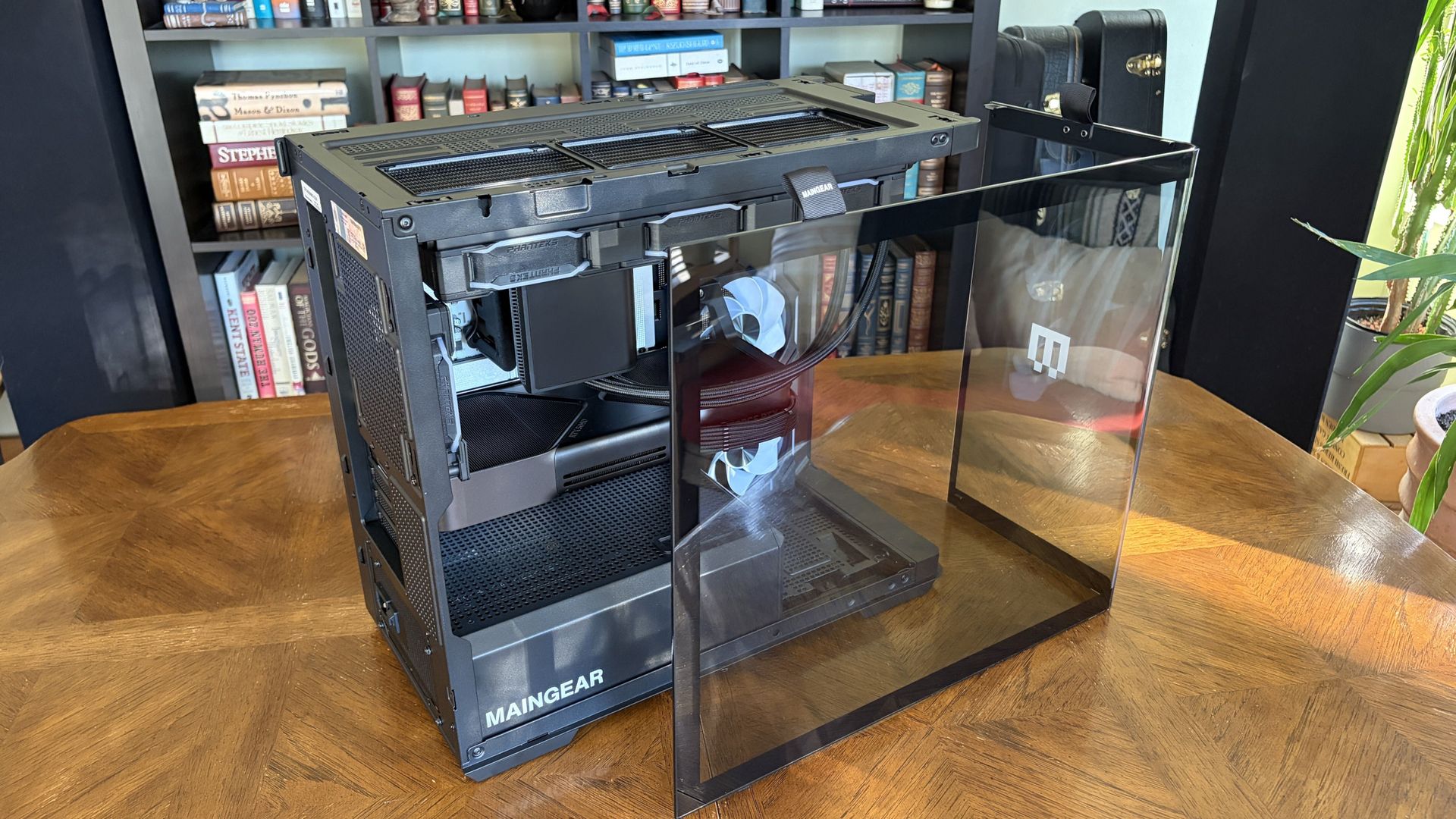
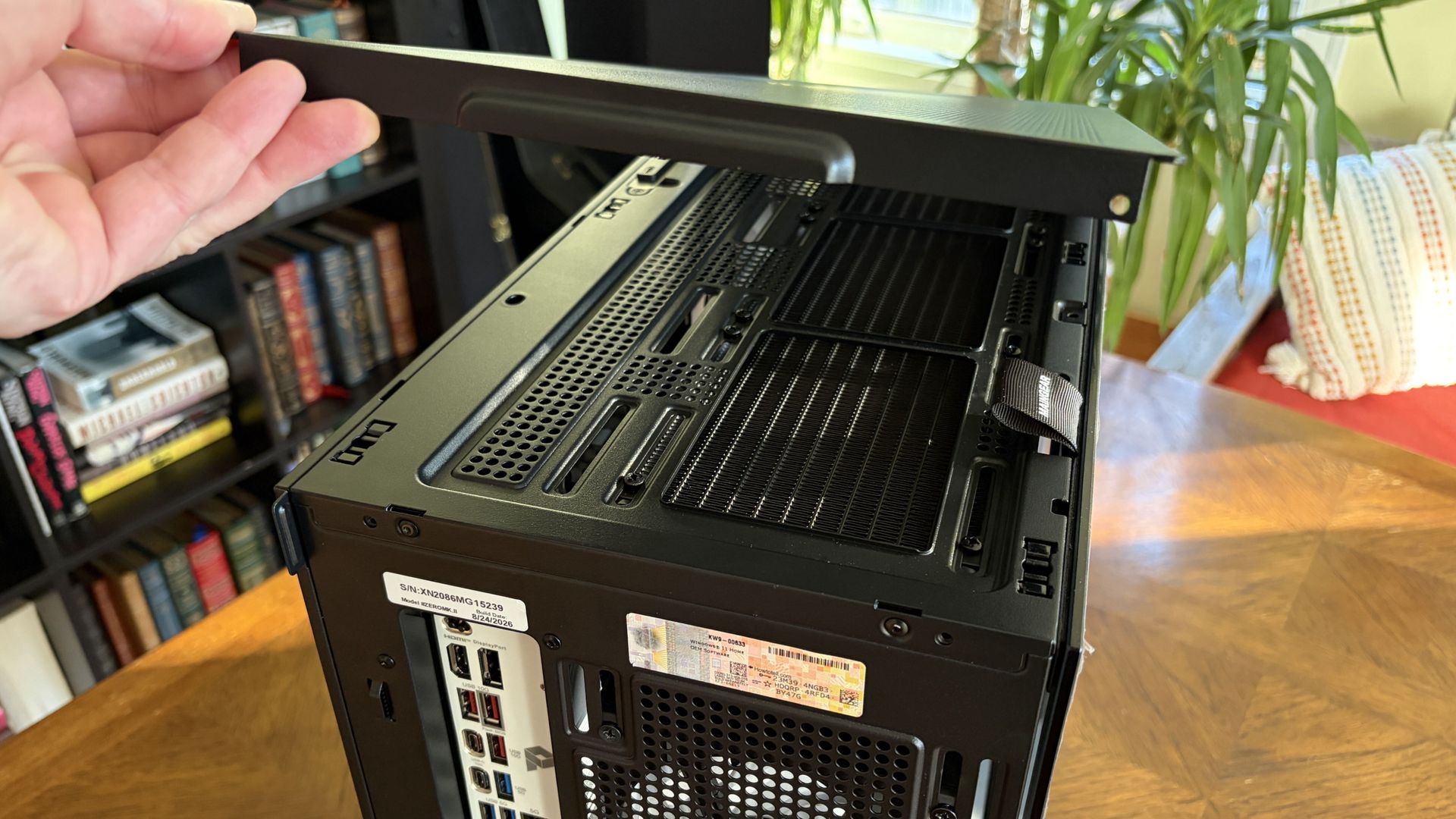
I also appreciate the way the case comes apart. The side and top panels are held in place with pressure points; you can pull them away without using any tools.
These panels have rather fine pinhole venting in all the right areas, and they seem to be doing a decent job of keeping out dust.
The panoramic glass panel is different. It’s held in place with two screws, but once removed, you just grab two fabric pull tags to safely carry the glass. No more fingerprint smudges.
Yes, it requires a screwdriver to get into, but because of the reverse connectors, you should be spending a lot less time inside the front of the case.
One other thing I want to call out is the massive bottom air intake covering practically the entire case, PSU included.
Best part? It has a removable dust screen that makes cleaning a breeze. If you live with cats like me, this is a nice addition.
Exploring the Maingear Zero’s pristine internal layout
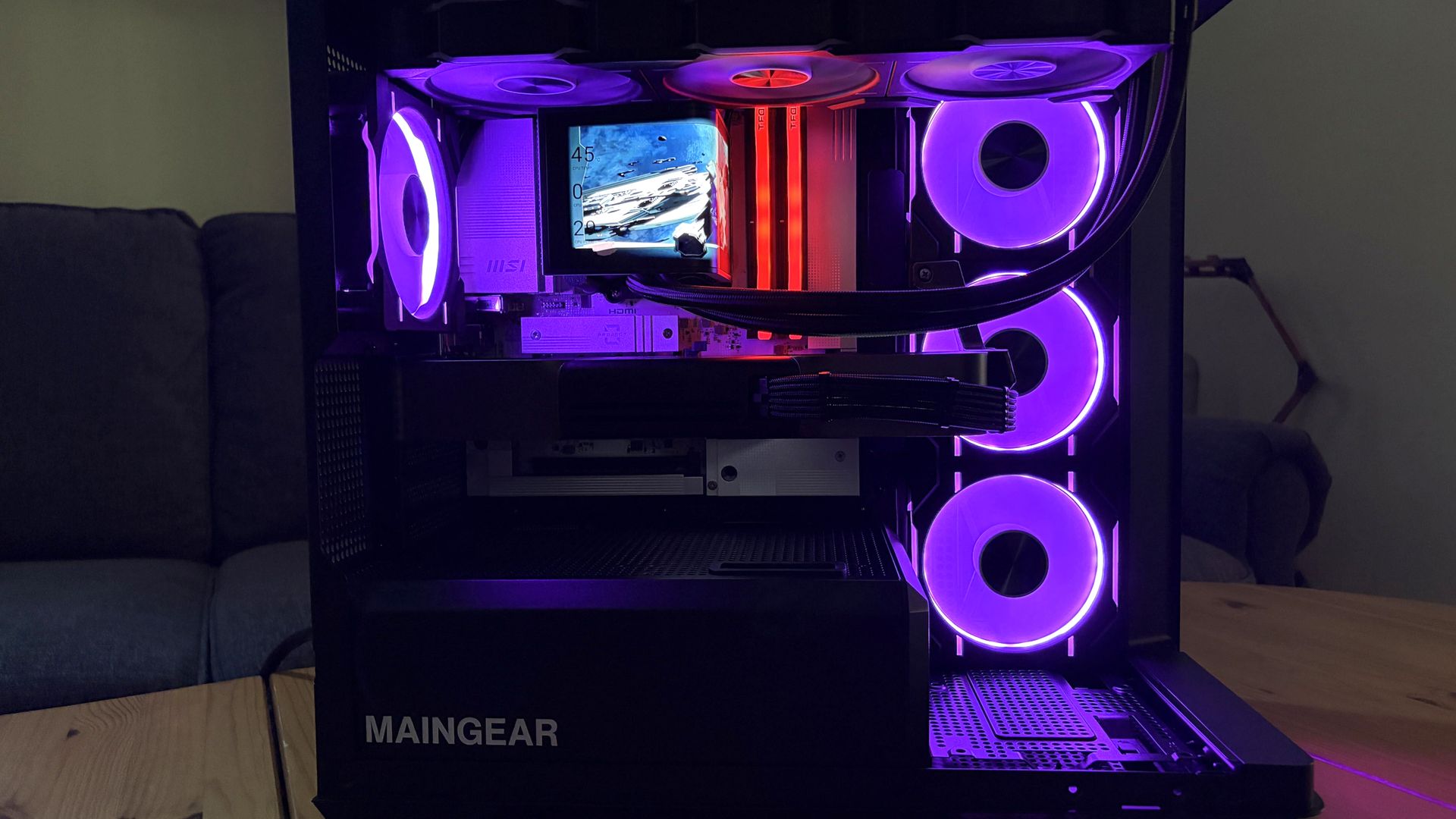
Inside the Zero is where things really get interesting.
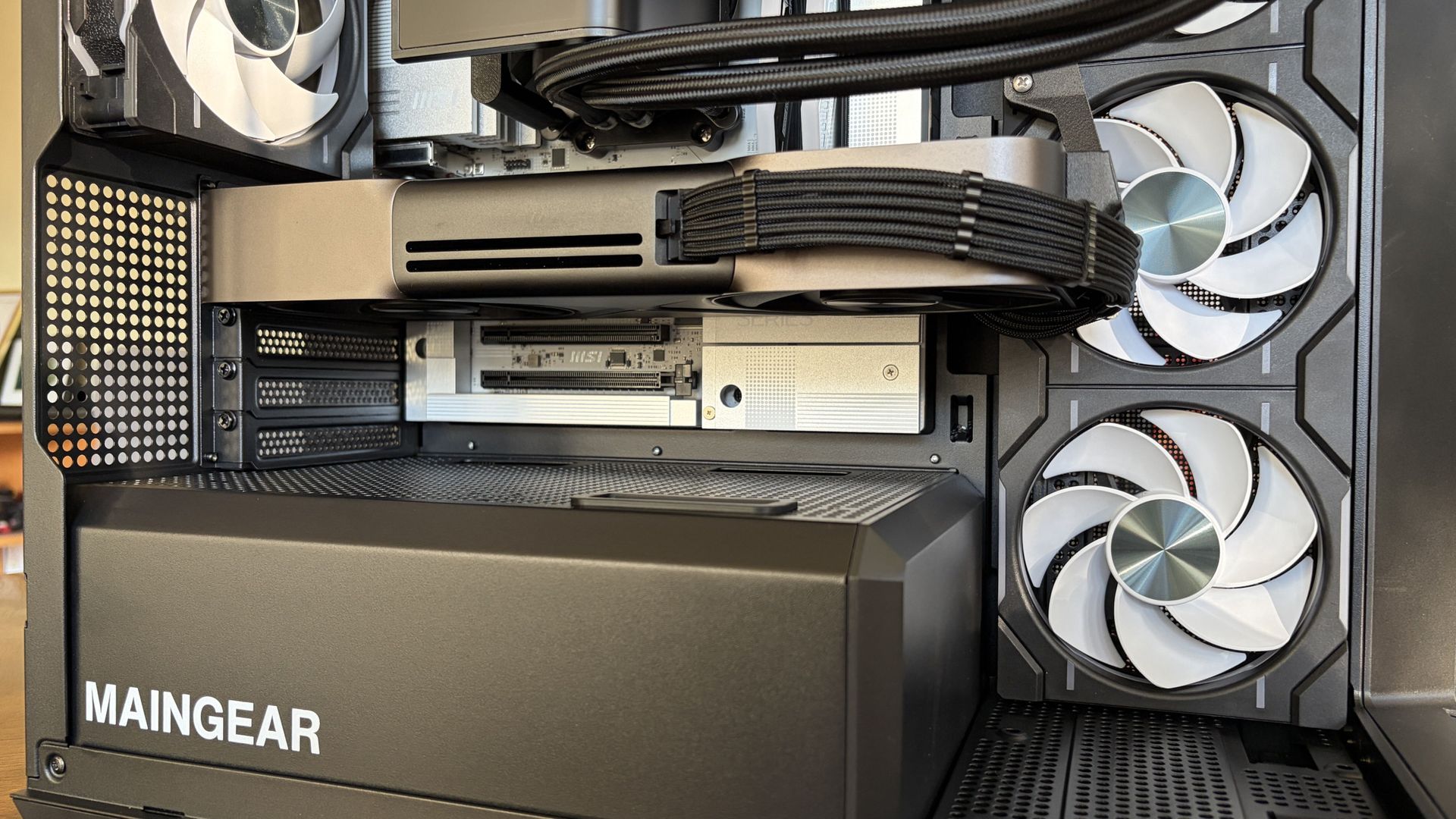
The only visible cabling runs to the RTX 5090 GPU, and that runs tight to the card. Exchange hoses run from the CPU to AiO cooler. That’s it. For anyone who appreciates a minimalist approach, this is the ultimate design.
This rear connector fad hitting motherboards and cases lately was first patented as “MG-RC” by Maingear itself in 2011. It has taken a long time to get the recognition I think it deserves, but the industry seems to finally be coming around.
As far as I’m concerned, this is the best direction to take PC building. As you’ll see below, this setup not only looks clean but also leaves air free to flow through the PC.
How is Maingear Zero’s hidden cable management?
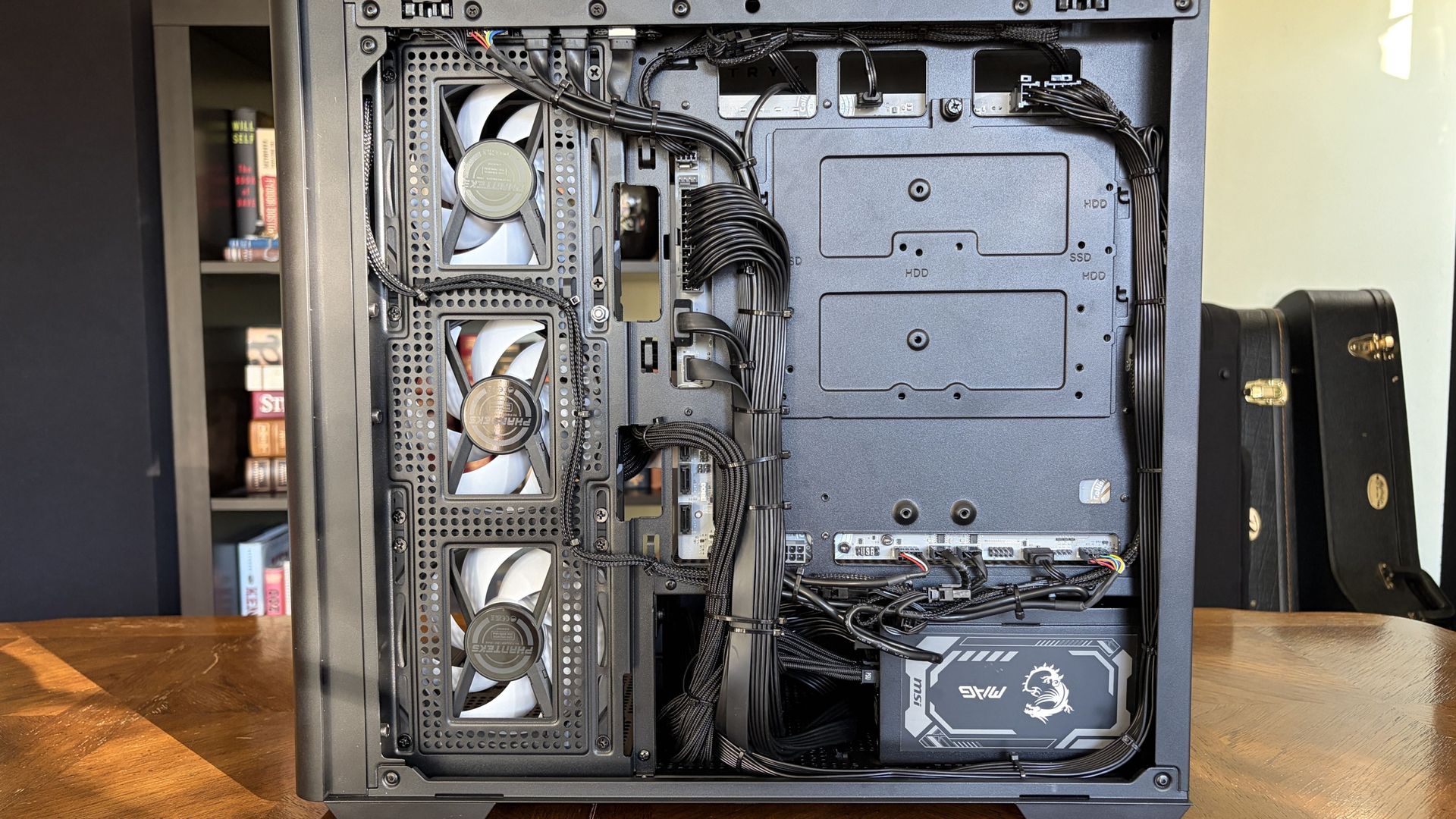
Upon removing the steel side panel, I’m greeted by just about the cleanest cable management I’ve seen in a prebuilt PC.
Because the cables plug straight into the back of the motherboard, they can all be channeled together much more tightly.
Like the MG-1, the Zero uses plastic zip ties to hold the majority in place. Maingear has designed a PC around accessibility and cleaner cable routing, but then uses disposable cable ties that make servicing those hidden cables less convenient.
Velcro/reusable straps would fit the philosophy of the Zero better.
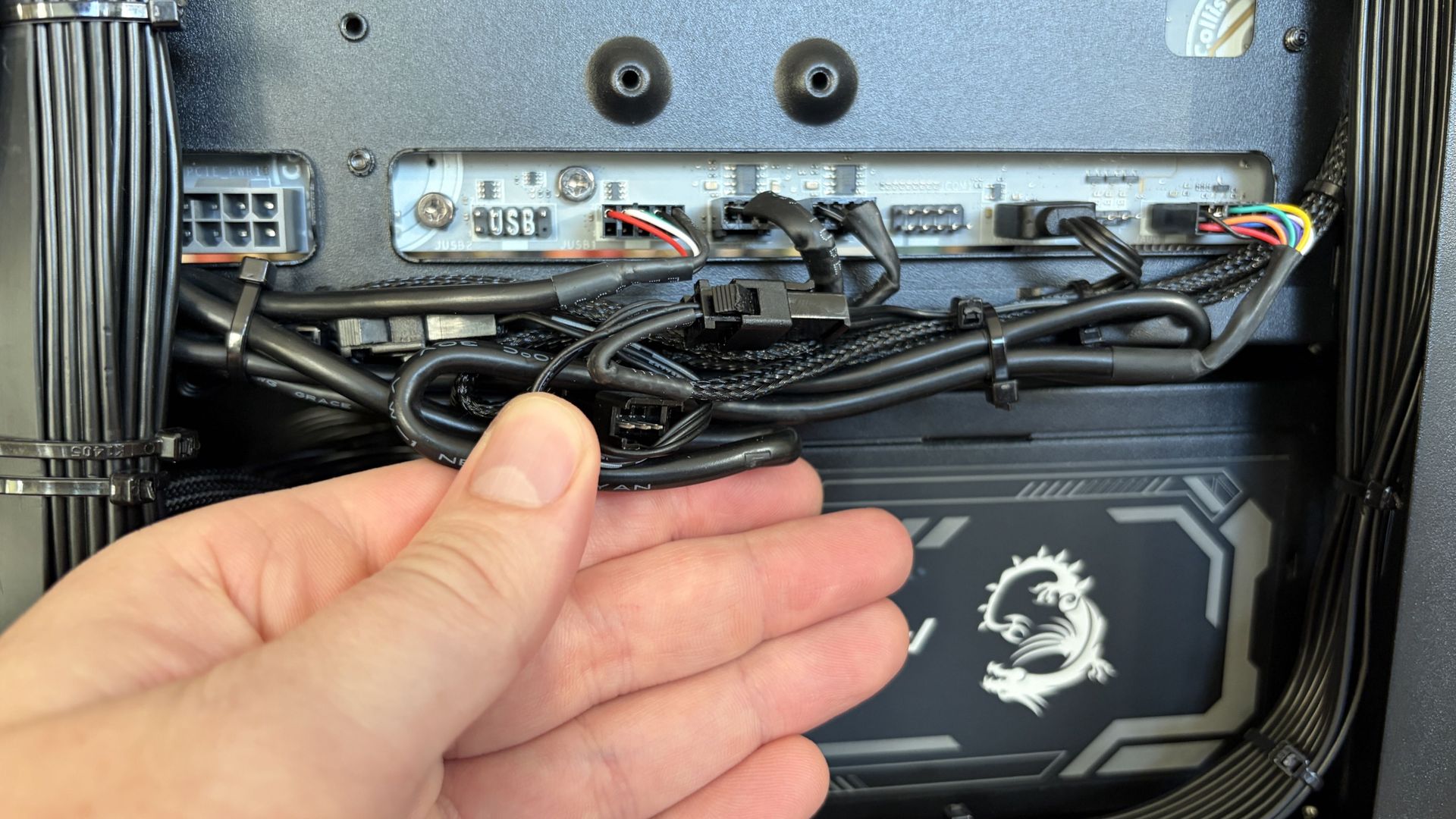
The case has a second, lower compartment that hides the modular PSU. I’ve seen some real cable messes jammed into this space in some PCs; Maingear keeps everything clean and tidy.
Does Maingear’s MG-1 keep cool with good airflow?
The Maingear Zero’s Ryzen 7 9850X3D CPU and NVIDIA RTX 5090 GPU speak for themselves. This combination will run any game you want at high, smooth frame rates.
I grabbed some results from synthetic benchmarking software to help compare against other PCs we’ve tested.
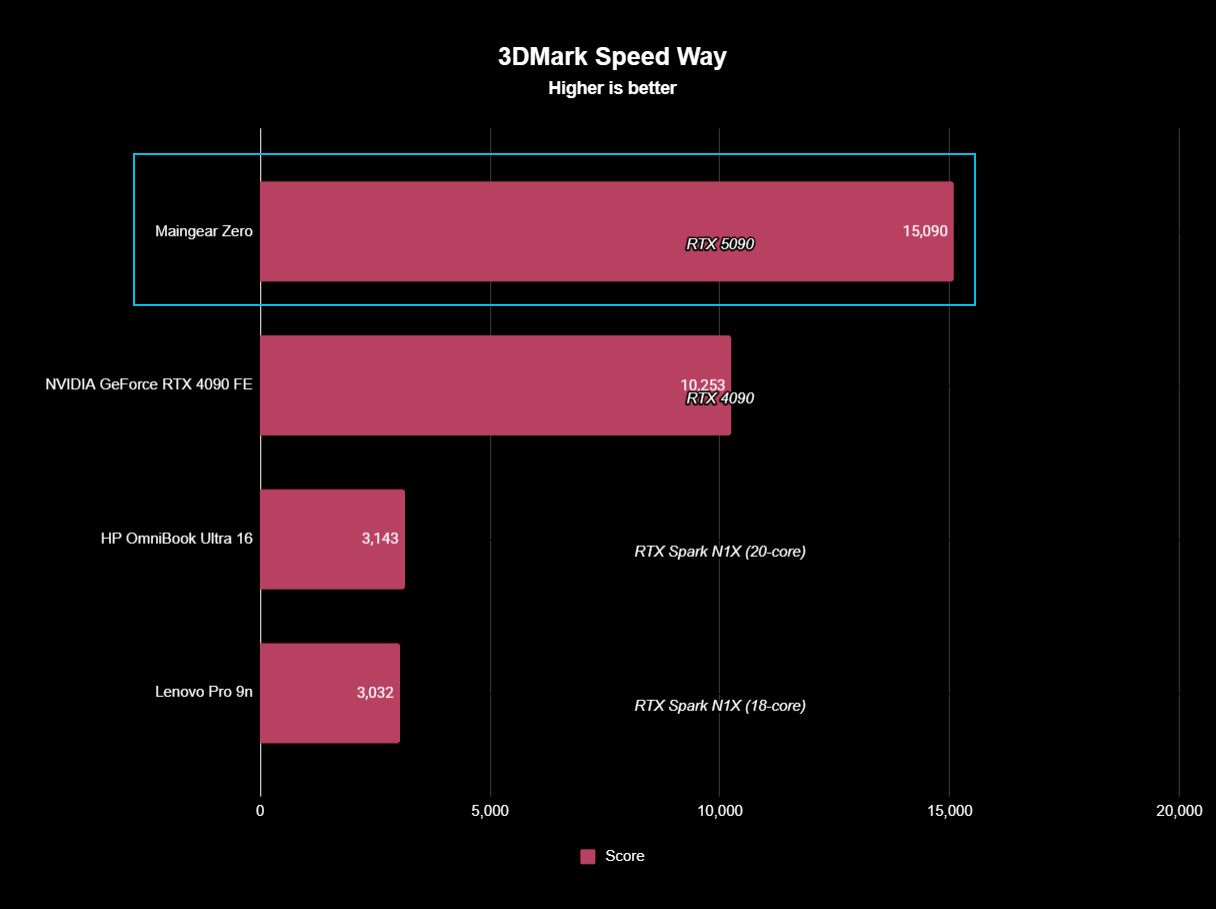
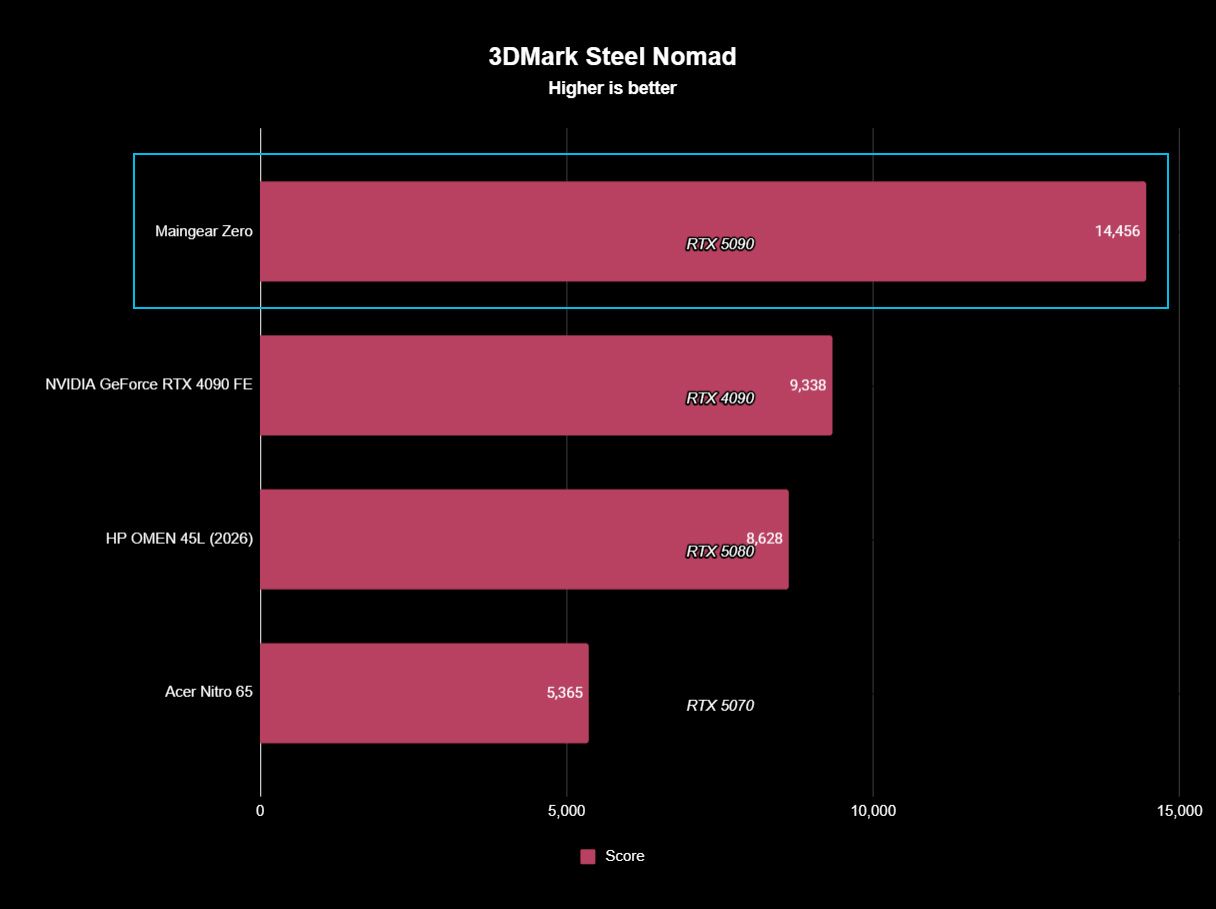
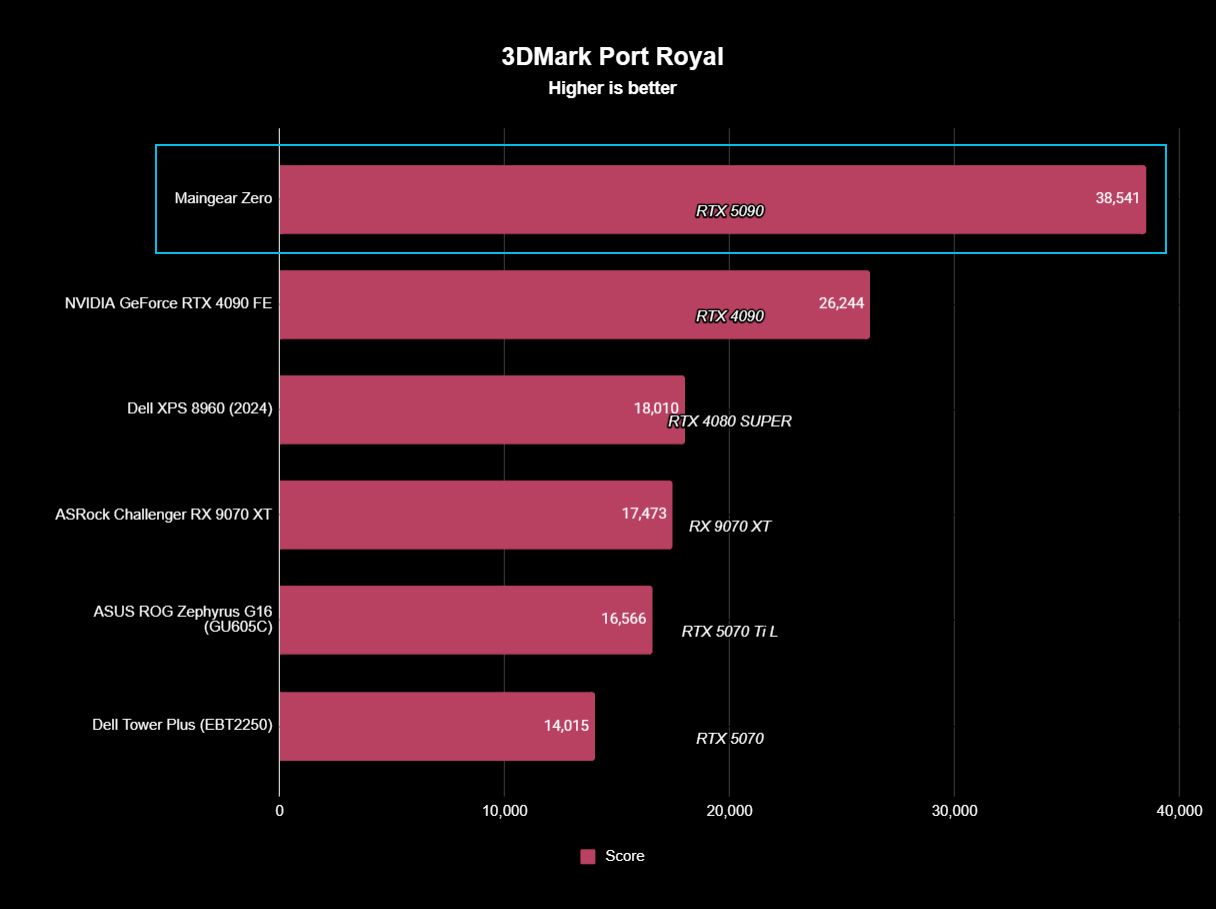
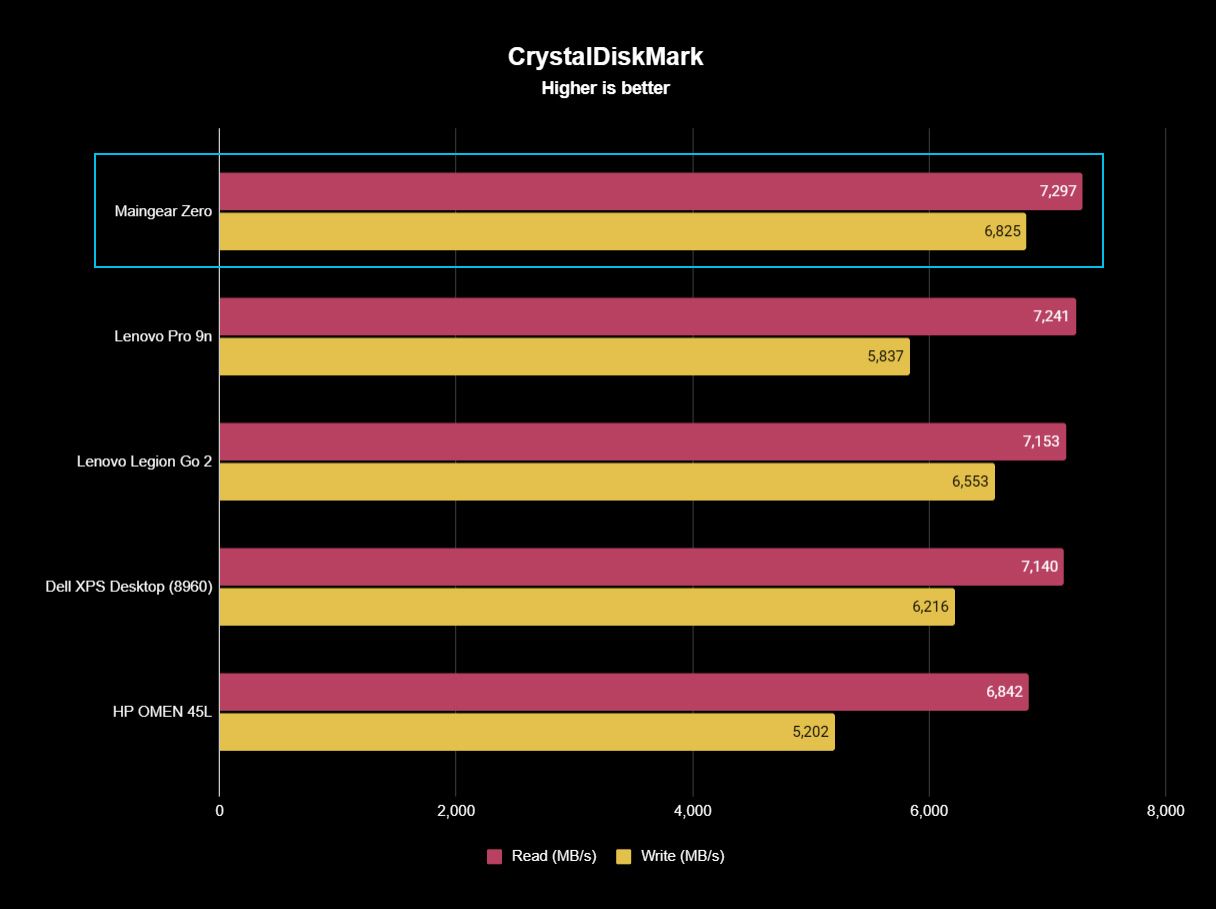
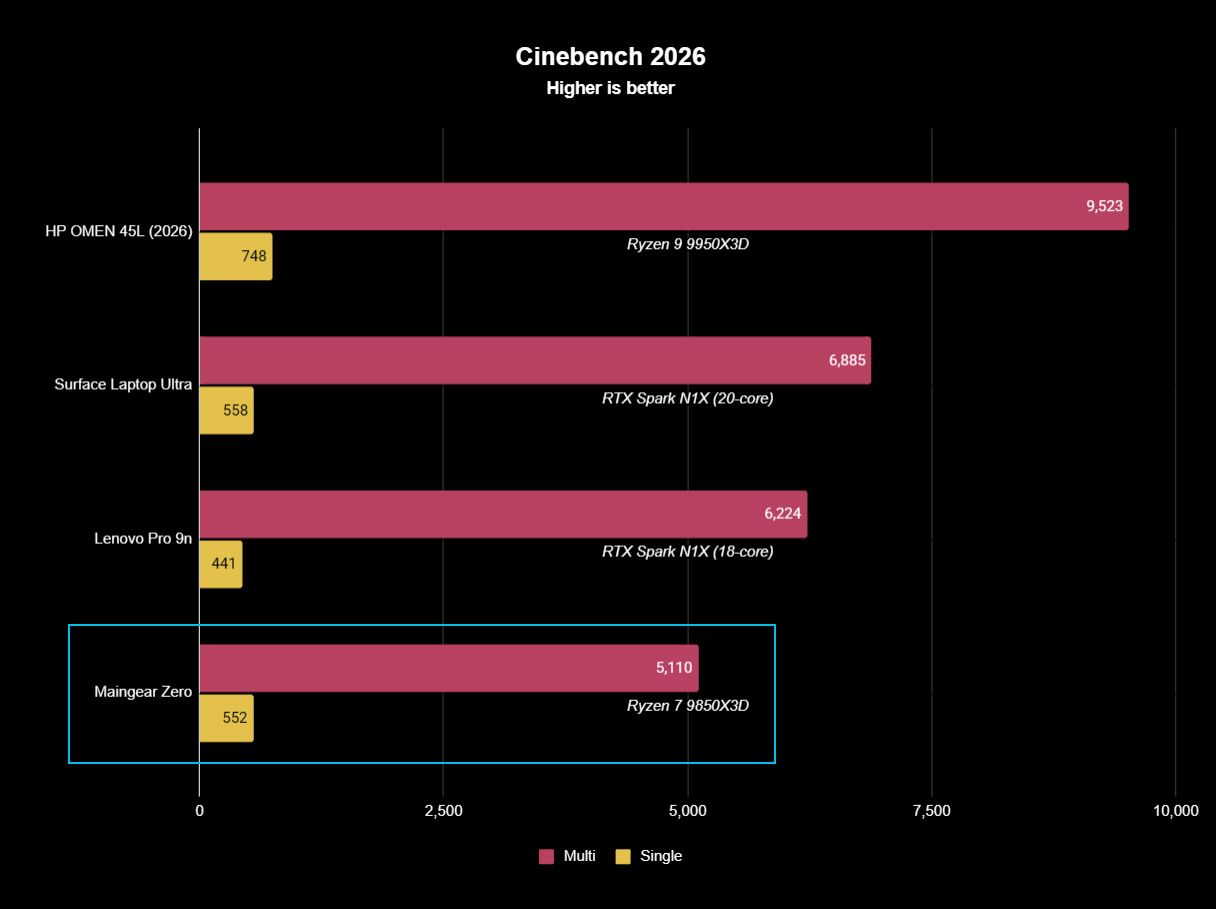
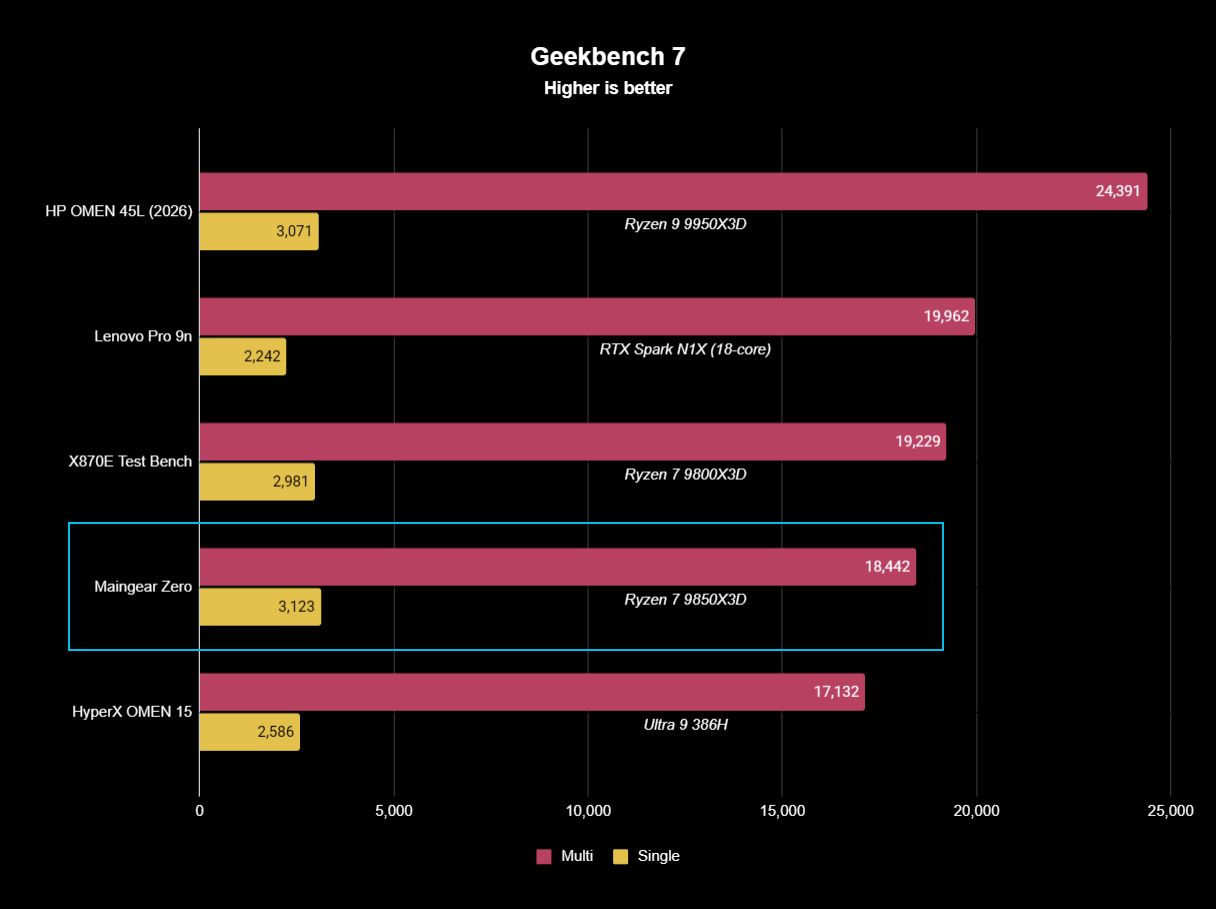
There are no surprises in these results. The CPU and GPU are performing as expected, right out of the box, with no additional steps required. I just unpacked, plugged in, and turned on.
What I’m more interested in is how this PC handles heat from the high-end components. If it keeps cool with this level of hardware, there should not be any issues with the more affordable configurations.
No big drops or spikes, which means you can game without worrying about what the system is doing.
I ran a 20-minute full-system stress test on the PC in a 21°C room. I made no changes to the stock fan curve that Maingear set up.
The PC got as loud as 50.5 decibels from about a foot away, and there was some coil whine to be heard, likely from the GPU. This is a common issue with NVIDIA’s high-end GPUs.
Altogether, though, it runs fairly quietly, and there’s lots of space for improvement if you don’t mind adjusting fan curves.
The RTX 5090 never went above 80°C, remaining steady throughout the stress test. The CPU remained at a cool 62.5°C for most of the test, but I was less concerned thanks to the beefy AiO liquid cooler.
Best part? Performance was super steady over the course of the stress test. No big drops or spikes, which means you can game without worrying about what the system is doing.
That was ultimately my experience with the Maingear Zero. It’s all set up when it arrives, sans any bloatware, and it games like it should right out of the box.
Should you buy the Maingear Zero?
You should buy this if …
✅ You love a gaming PC with minimal visible cabling.
✅ You don’t want to build your own rig and are OK with spending a bit more for the convenience.
✅ You want to be able to configure everything about your PC, right down to the cabling.
You should not buy this if …
❌ You’re looking for the most affordable gaming PC out there.
❌ You don’t care about showcase aesthetics enough to pay for them.

The Zero feels like the clearest expression yet of what Maingear has been working toward with the MG-RC design (and I still recommend the MG-1). Moving the connections behind the motherboard doesn’t just produce better photos; it makes the PC easier to admire, keeps the main chamber remarkably uncluttered, and does it without creating the thermal problems I was worried about.
Sure, there’s room for improvement. The front I/O should be better at this price, and reusable cable straps would make servicing the beautifully hidden wiring less frustrating. My review unit also arrived with a loose fan connector that required some troubleshooting.
None of that changes my larger takeaway after living with the Zero. I’ve spent years looking through glass panels at increasingly powerful PC hardware surrounded by cables. After seeing how clean Maingear can make a high-end gaming PC without sacrificing cooling, performance, or practical access, I don’t particularly want to go back.
Aside from a couple of minor inconveniences, the Maingear Zero is an impressive PC with great airflow, strong performance, and an impeccable design that shows off your hardware (and more). I still like Maingear’s MG-1, but the reverse connectors in use here are the future of PC building.