
There are plenty of premium Xbox controllers fighting for the Elite Wireless Controller Series 2’s crown, but after playing GTA 6 with the SteelSeries Aeon Pro, one feature stood out above everything else: I essentially never had to think about charging it.
That’s thanks to a clever dual-battery system that lets you keep one battery inside the controller while another charges in the included dock. Add Hall Effect sticks, extensive customization, an OLED display, wireless Xbox support, and great ergonomics, and SteelSeries has built one of the most interesting Elite alternatives I’ve used. It’s just a shame a few strange design decisions keep it from greatness.
Still, this is without a doubt one of the best Xbox controllers and best Xbox accessories in general you can consider right now.
SteelSeries Aeon Pro: Specs and Price
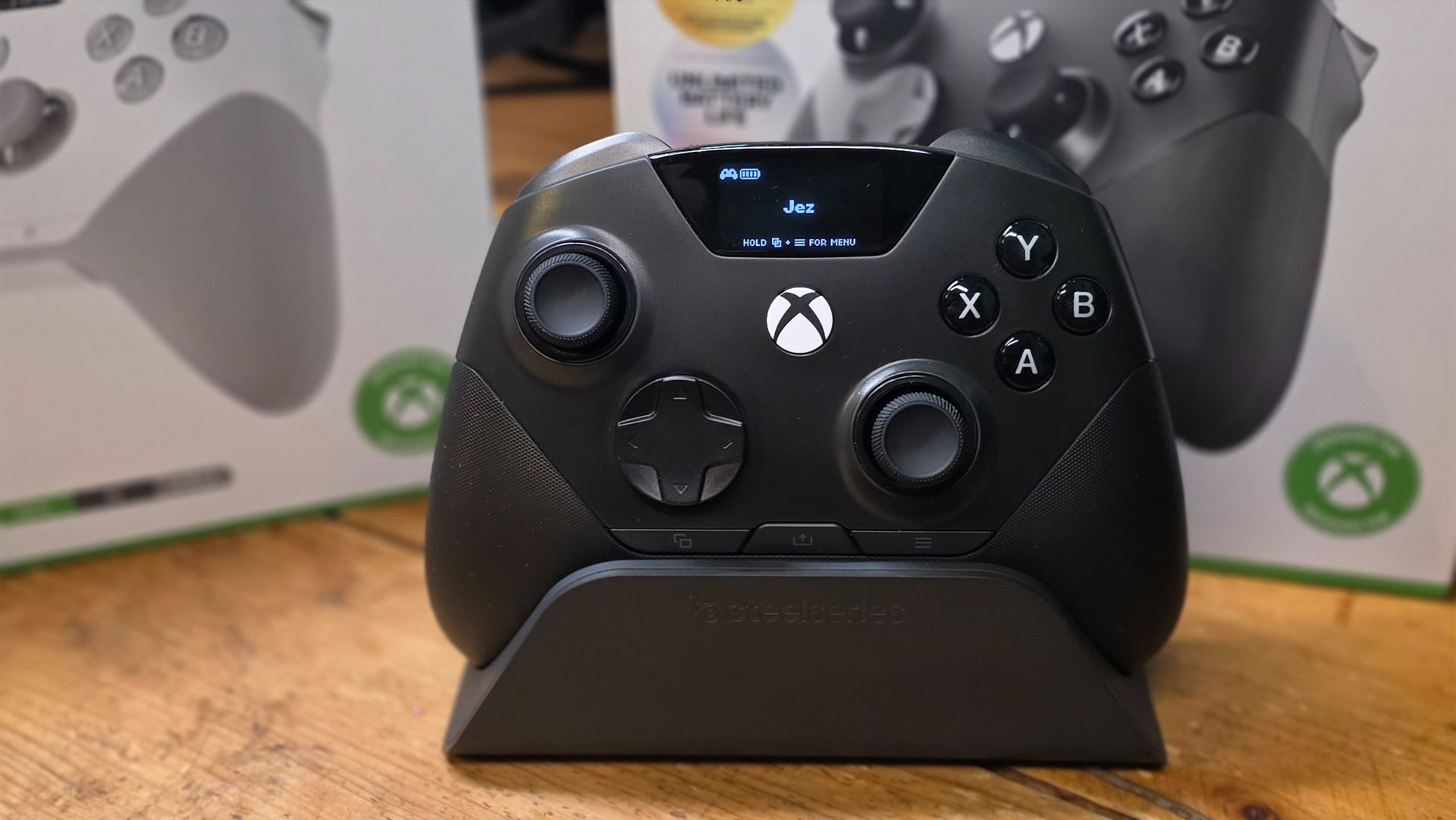
The SteelSeries Aeon Pro spec sheet is impressive, boasting practically every feature you might want in an accessory like this. It’s compatible with every platform across the Xbox ecosystem, complete with an OLED mini display for easy on-device settings management. Here’s the breakdown.
|
SteelSeries Aeon Pro Features |
Spec |
|---|---|
|
Compatibility |
Xbox Series X|S, Xbox One, PC, Android, iOS |
|
Connectivity |
2.4GHz wireless, Bluetooth, USB-C, QuickSwitch Dock System for seamless Xbox and PC switching |
|
Controls and Inputs |
Hall Effect thumbsticks, adjustable triggers, mechanical switches, four programmable rear buttons, 3.5mm audio |
|
Customisation |
OLED Smart Display, onboard profiles, SteelSeries GG software, trigger and stick tuning, button remapping |
|
Power |
Dual hot-swappable batteries, included charging dock, Infinite Power System |
|
Price |
All the magic happens via the SteelSeries Aeon Pro’s dock, which acts as a charger, display station, and wireless transmitter. Connect both your Xbox and PC via USB-C and hot-swap between devices at the flick of a button, and mix in Bluetooth connectivity for good measure too.
Bringing in functionality from the SteelSeries Arctis Nova headsets, the controller itself has an OLED display panel with on-board controls to allow you to customize the vast majority of your experience without ever needing to use the SteelSeries GG app, which is fantastic.
The main downside here is the price, arguably: $259.99 is not cheap for a gaming controller (on sale for $209.99), but if you’re hardcore and play across multiple platforms frequently, this might be exactly what you’ve been looking for.
SteelSeries Aeon Pro: Design and Features
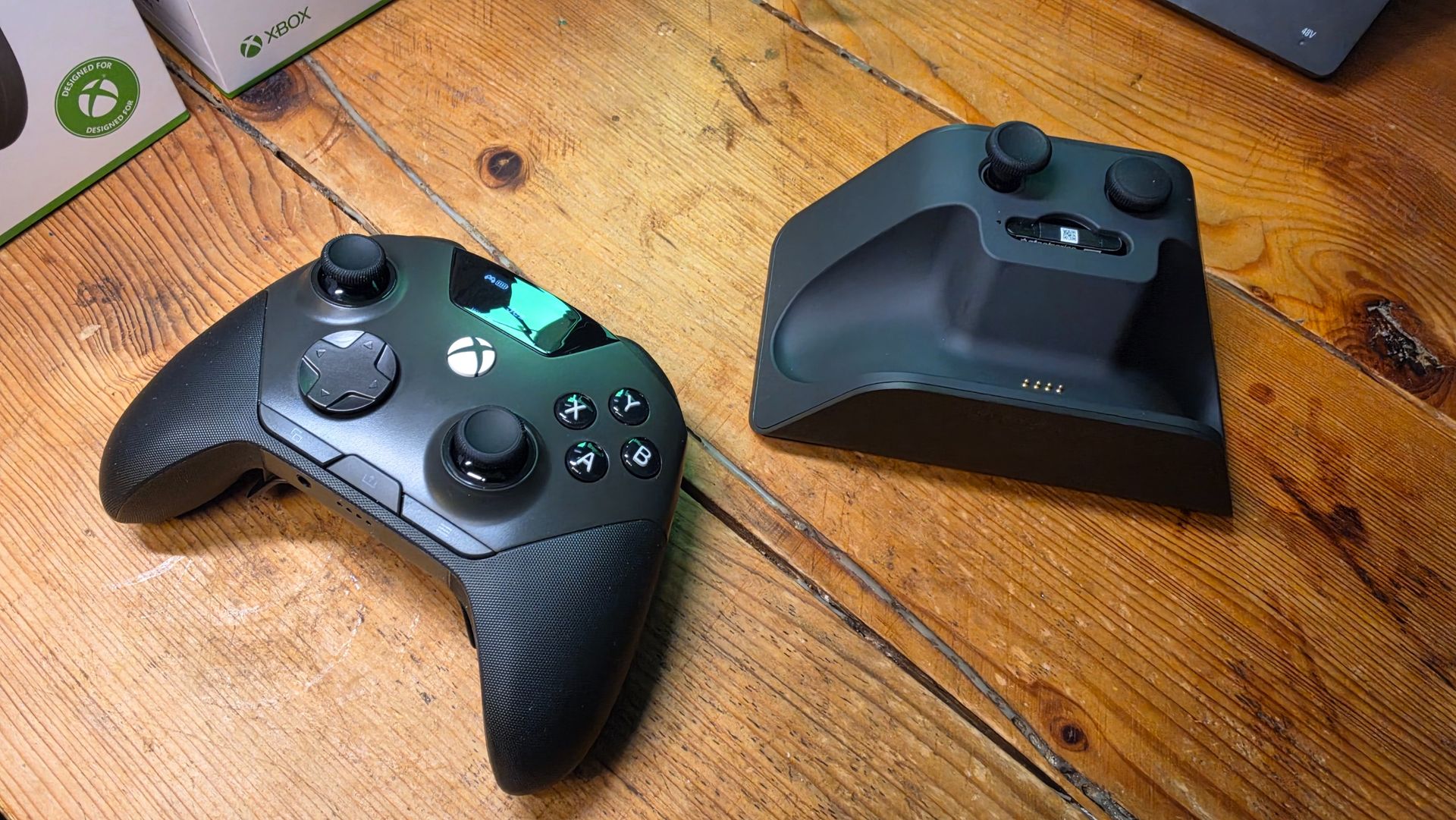
If the SteelSeries Aeon Pro looks familiar at first glance, you’d be forgiven. For all intents and purposes, it is a virtual 1:1 copy of the Xbox controller design standard, and it’s hard to imagine why they would’ve diverged heavily here.
I’ve seen Microsoft’s design labs first-hand, and the lengths Microsoft goes to test ergonomics across controllers and other PC peripherals represent decades of intuition and testing. There’s no real reason for SteelSeries or others to totally reinvent the wheel here, so it’s to be expected that it would heavily mimic Microsoft’s own Xbox controller design language.
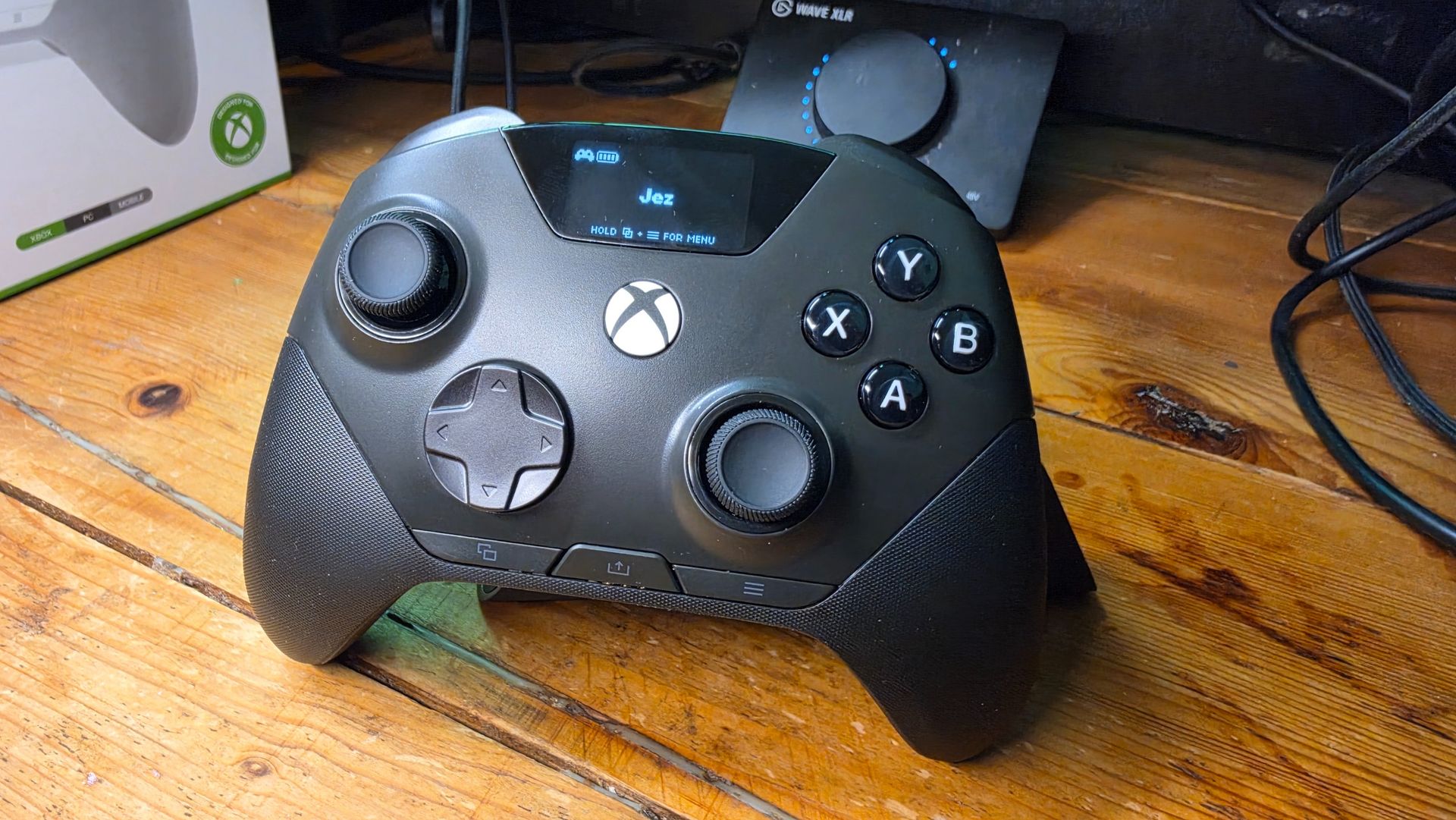
There are some changes, however. The OLED panel means the menu and view buttons now move to the bottom of the controller. This admittedly took a lot of getting used to, and is a strong endorsement of SteelSeries’ reluctance to reinvent the wheel here, but this change is a necessary one.
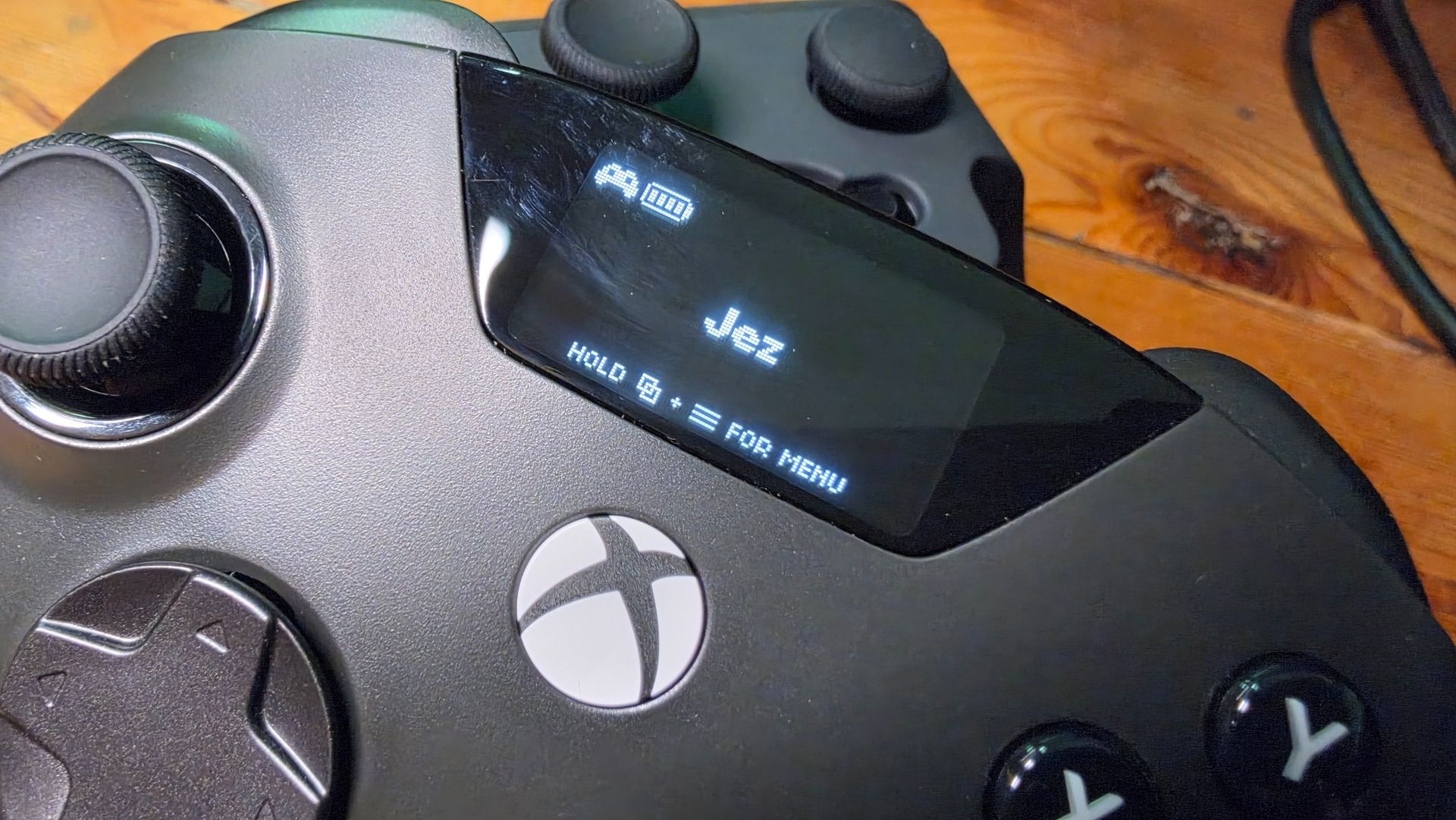
The OLED panel is fantastic and adds a lot of functionality. Managing feature-rich third-party controllers is often annoying on Xbox, owing to half-hearted apps and requirements to use phones or PCs to manage features. SteelSeries went the other way, putting config options directly on the controller, and it works fantastically well. You can see battery life at a glance, and swap between a variety of button mapping and calibration profiles at the press of a button. I like to have separate mapping for games like Overwatch and other titles. I’ve been playing a ton of GTA 6 (and, in fact, I reviewed GTA 6 entirely using this controller), and being able to map shoulder buttons to the back buttons makes vehicular combat so much easier.
Microsoft has ditched 3.5mm on its official Xbox controllers, but SteelSeries retains it here, and as wired earbuds become increasingly popular again, I think this was a smart move. Another smart move SteelSeries brings across from its Artcis Nova Pro headset is the hot-swap batteries, ensuring you’re never without power. I’m also glad the Aeon Pro comes in both white and black colorways for Xbox Series S and Xbox Series X setups alike.
The dock is also well-designed, housing alternative joysticks as well as a secondary battery for swapping in at a moment’s notice. The controller sits in the dock with a satisfying click, and represents the best dock this side of the Xbox Elite Controller itself.
How is it to actually play with this thing, though?
SteelSeries Aeon Pro: Ergonomics and Gameplay
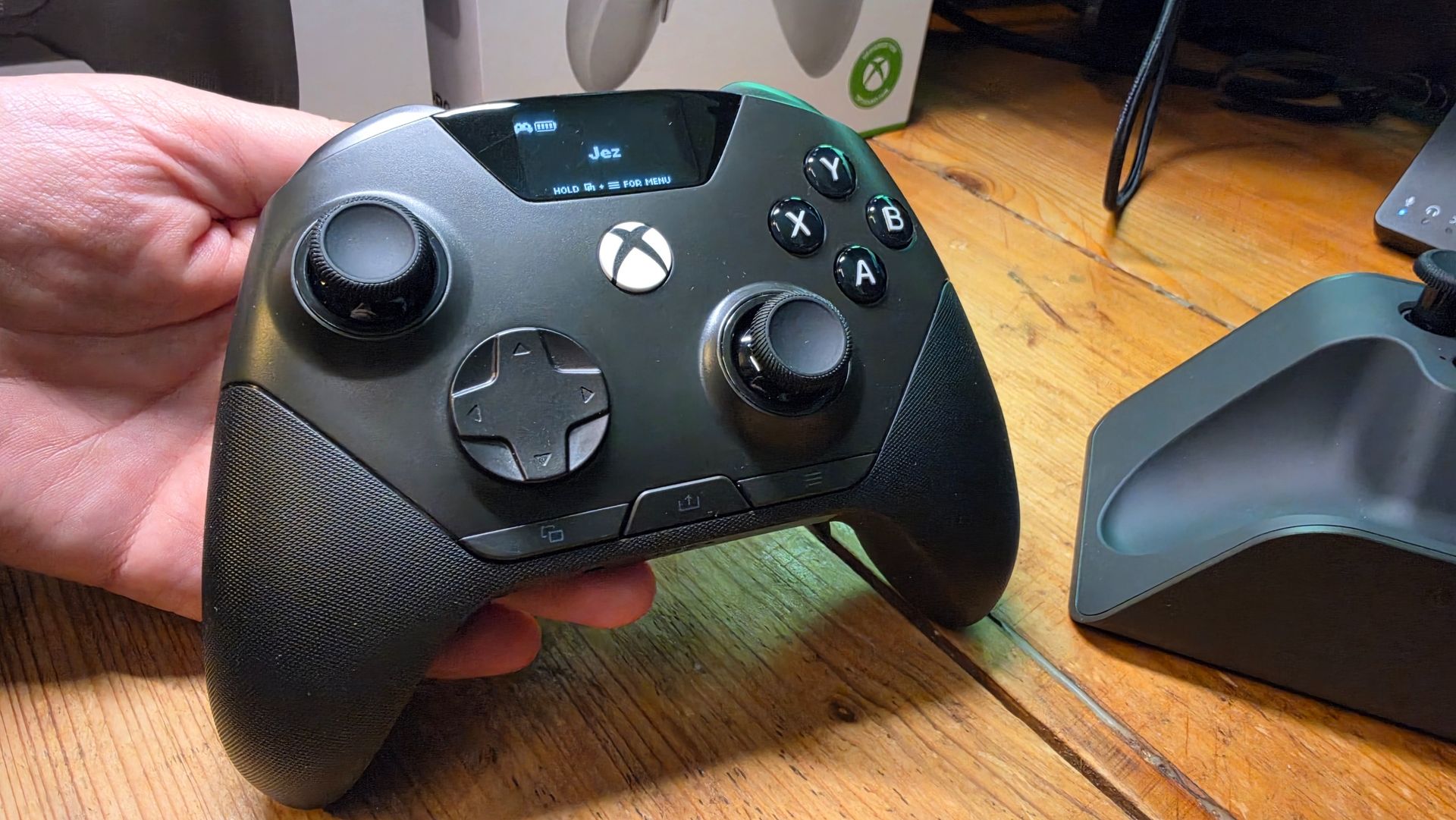
I already talked about the general design of the controller; it matches the standard Xbox controller shape quite closely. It’s light, feels good in the hand, and will be generally familiar for those of the green gaming persuasion.
The grips are rubberized with pleasant textures similar to the Elite as well, which does give me some concern. Some types of rubber tend to warp and perish over time; it’ll remain to be seen if the Eon Pro succumbs to this. For now, though, it feels great.
What perhaps feels less-than-great and represents my central criticism of this controller is the buttons. The ABXY and bumper inputs are clicky and sound good, but they are also oddly stiff to actuate, I felt; the same goes for the D-pad, menu, and view keys as well. I did get used to it after a while, but I think SteelSeries perhaps tuned them a bit too rigidly here.
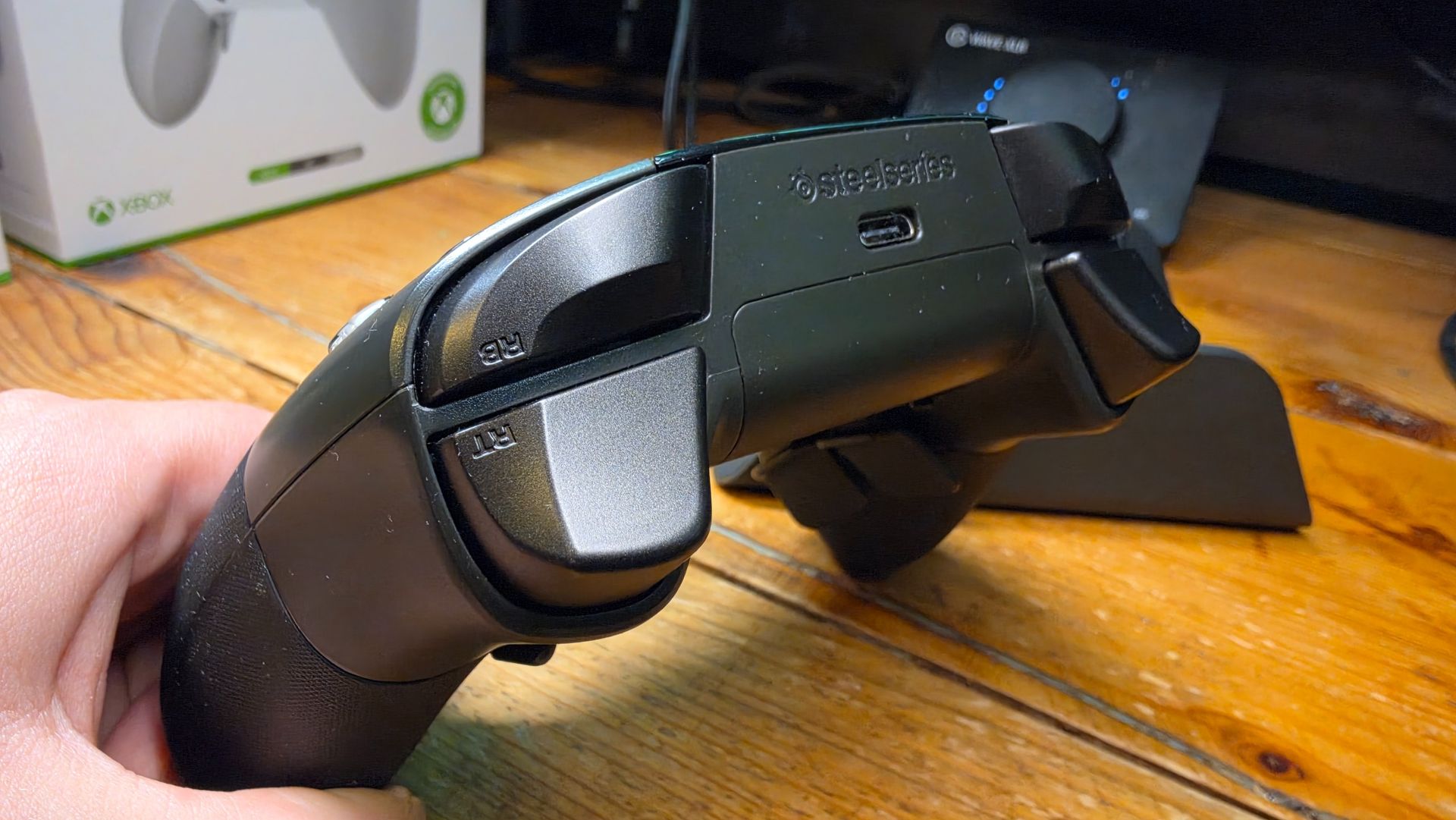
The trigger stops are the Aeon Pro’s biggest missed opportunity. The triggers have locks that work well to tailor the activation speed, but they’re shallow in curvature compared to most alternatives out there. It’s still adequately curved for activations; again, it took some getting used to. What has been decided is less easy to get used to are the back buttons, though.
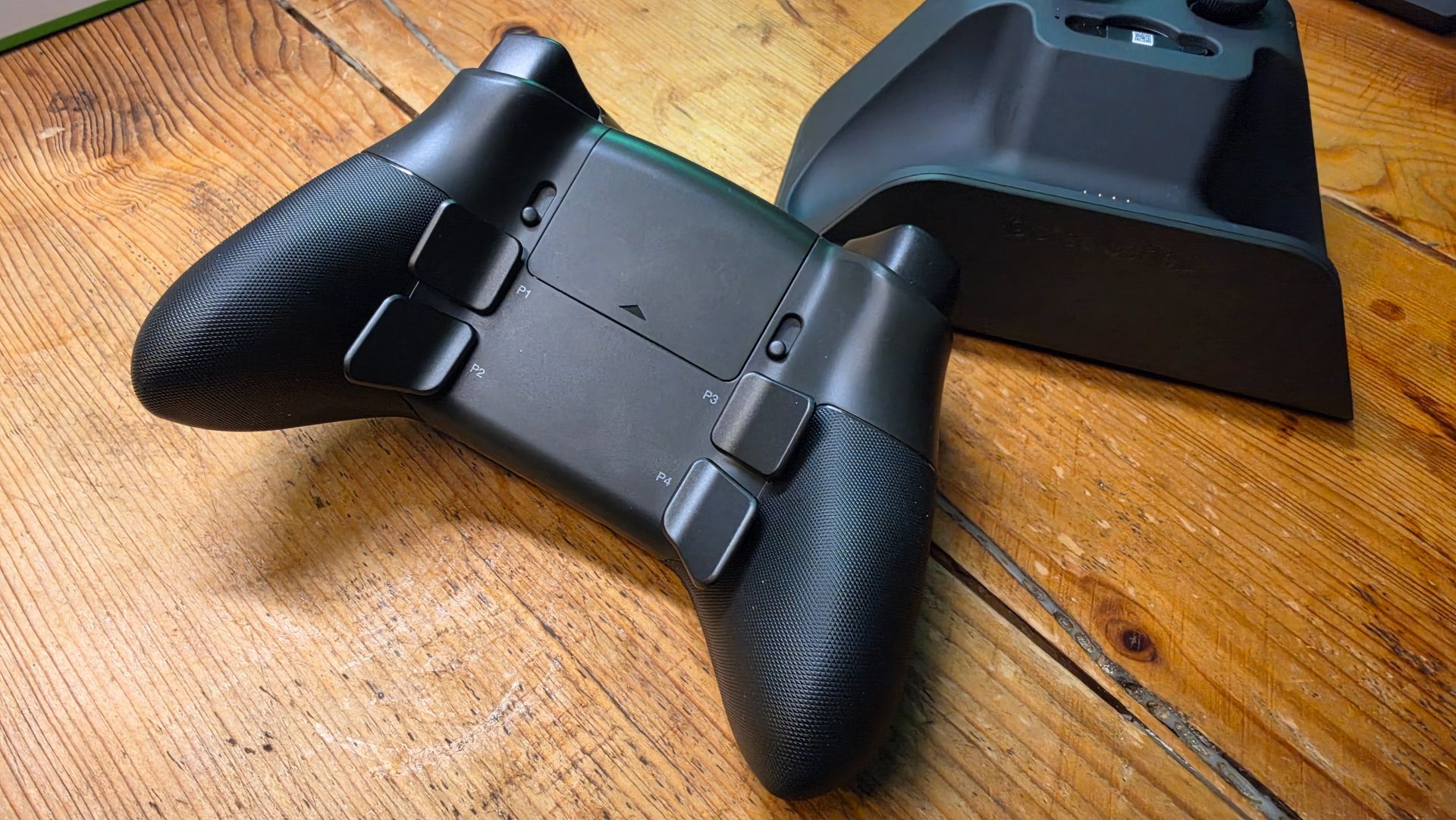
The four back paddles can be configured in typical “premium” gamepad fashion, complete with alternative profiles. For some reason, though, SteelSeries made their back buttons inordinately large and square. This is particularly problematic on the bottom too, which I’ve activated by mistake multiple times while reviewing the controller. And sadly, you cannot remove them.
Overall it’s great to use, with a premium feel that is close to the best Xbox controllers out there. There are no wireless connectivity issues, nothing to suggest it could have design flaws, and the software is well-made and easy to navigate.
For version 2.0, I’d hope SteelSeries take another look over their inputs to add some refinement. They’re good overall, but at this price point you’d hope you’re getting the absolute best, and that’s probably not the case here.
SteelSeries Aeon Pro: Competition
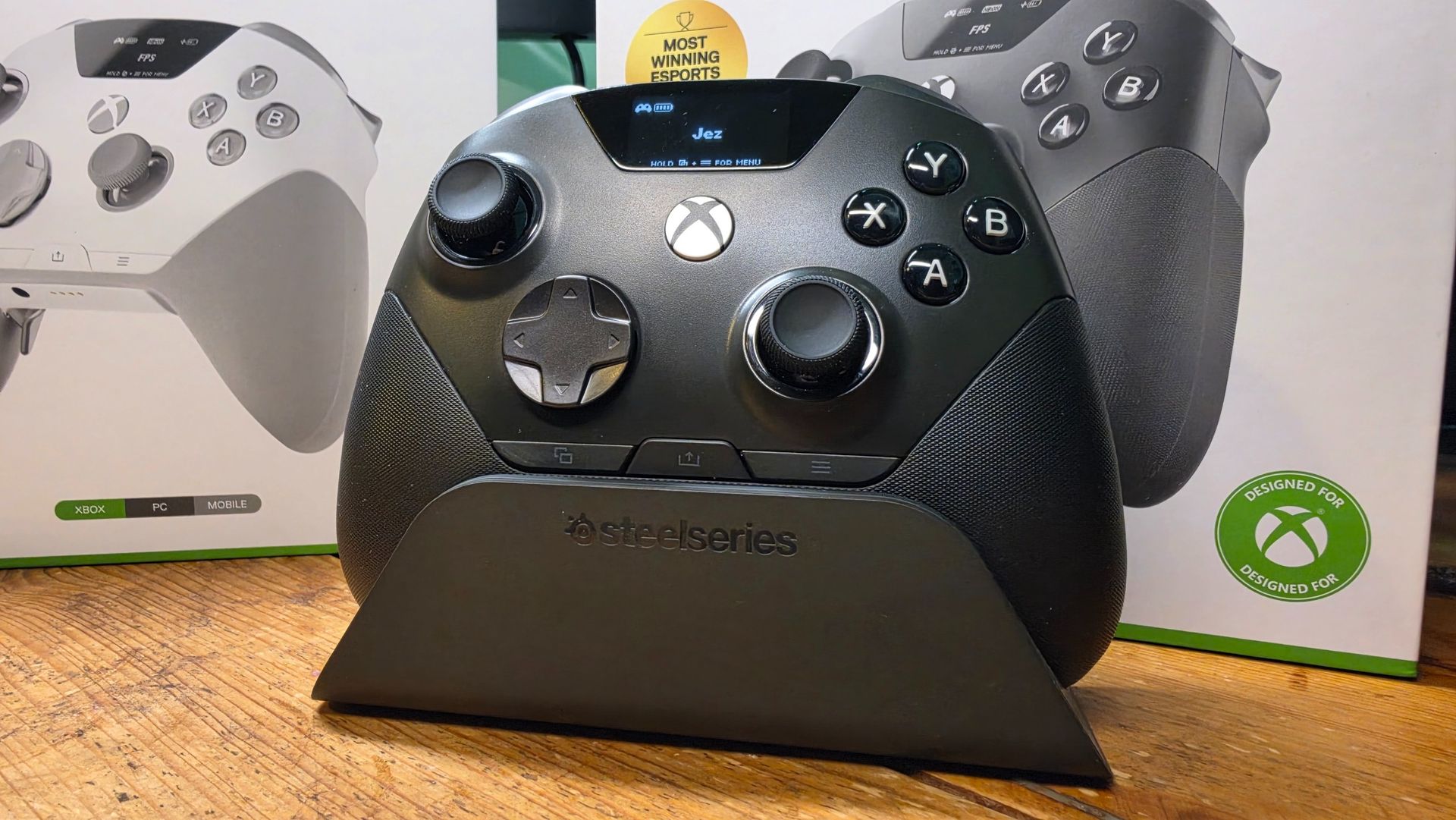
The SteelSeries Eon Pro has two competitors, primarily in my view, that are the Razer Wolverine V4 Pro and the standard Xbox Elite Controller Series 2.
I would say the Razer Wolverine V4 Pro beats the Aeon Pro in the pure ergonomics department, but the gap isn’t wide enough, for me, to justify losing all of the convenience the Aeon Pro brings. For my setup, having a charge dock that also functions as a hot-swap battery bank, a wireless transmitter for swapping between three devices (PC, Xbox, and Bluetooth), and on-board configuration capabilities is unmissable.
The Xbox Elite Controller Series 2 balances the two, offering the convenience of the Aeon Pro and ergonomics on par with the Wolverine V4 Pro. The V4 Pro also offers 8K polling on PC, which, as far as I’m aware, is industry-leading as of writing. The problem with the Series 2 is that it has a tendency to … fall apart. We’re actively awaiting the arrival of the Xbox Elite Controller Series 3, but as of writing, there’s no sign of its launch.
The affordable option is the 8BitDo Ultimate 3E Wireless, which incorporates many of the above features at a cheaper entry point, $100 less than the Aeon Pro, in fact.
SteelSeries Aeon Pro: Should you buy it?
You should buy this if …
✅You want a premium Xbox and PC controller.
✅You love the idea of hot-swappable batteries.
✅You value deep customization and Hall Effect sticks.
✅You frequently switch between Xbox and PC.
You shouldn’t buy this if…
❌You dislike unconventional button layouts.
❌You don’t want a dock connected for wireless play.
❌You want something significantly cheaper than an Elite controller.
The SteelSeries Aeon Pro is one of the best premium Xbox and PC controllers I’ve used, particularly if battery anxiety drives you crazy. Its dual-battery system is fantastic, and the included QuickSwitch dock provides reliable wireless play on Xbox and makes switching between Xbox and PC unusually convenient, although it requires a permanent USB connection to the console.
For people who play at a desk on both Xbox and PC, frequently switching between the two, the convenience is second to none. It pairs well with the SteelSeries Arctis Nova Pro range, and having a permanently charged controller eliminates any potential for downtime.
It does ask the Xbox gamepad faithful to adapt a bit to some of its idiosyncrasies, but as noted above, I completed my GTA 6 review entirely using this controller and had a blast with it. It’s pricey, but I don’t think hardcore gamers who want a premium, dockable and configurable multi-platform Xbox-style controller will be disappointed.
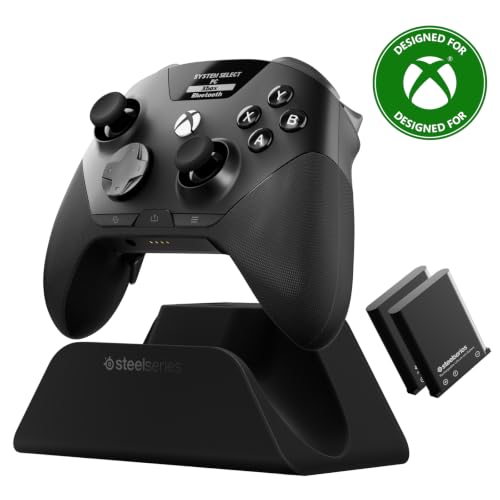

The SteelSeries Aeon Pro is quite possibly the best Xbox Elite Controller alternative out there right now, with anti-drift sticks, a convenient dock with hot-swap batteries, and all the premium features you’d want. It takes a bit of getting used to, but when you get there, you’ll end up preferring it.

Join us on Reddit at r/WindowsCentral to share your insights and discuss our latest news, reviews, and more.